spring5,beans.xml头部信息
<?xml version="1.0" encoding="UTF-8"?>
<beans xmlns="http://www.springframework.org/schema/beans"
       xmlns:xsi="http://www.w3.org/2001/XMLSchema-instance"
       xsi:schemaLocation="http://www.springframework.org/schema/beans
        http://www.springframework.org/schema/beans/spring-beans.xsd">
    <bean id="address" class="com.xuwen.pojo.Address">
        <property name="address" value="上海浦东"/>
    </bean>

    <bean id="student" class="com.xuwen.pojo.Student">
        <!--第1种,普通值,注入用value-->
        <property name="name" value="文文酱学java"/>
        <!--第2种,引用类型/bean,注入用ref-->
        <property name="address" ref="address"/>
        <!--第3种,数组,普通值,注入-->
        <property name="books">
            <array>
                <value>红楼梦</value>
                <value>西游记</value>
                <value>水浒传</value>
            </array>
        </property>
        <!--第4种,List泛型,普通值,注入-->
        <property name="hobbys">
            <list>
                <value>炒比特币</value>
                <value>看电影</value>
                <value>敲代码</value>
            </list>
        </property>
        <!--第5种,map泛型,普通值,注入-->
        <property name="card">
            <map>
                <entry key="身份证" value="11111111111"/>
                <entry key="银行卡" value="11111111111"/>
            </map>
        </property>
        <!--第6种,set泛型,普通值,注入-->
        <property name="games">
            <set>
                <value>穿越火线</value>
                <value>LOL</value>
            </set>
        </property>
        <!--第7种,null,注入-->
        <property name="wife">
            <null/>
        </property>
        <!--第8种,Properties,注入-->
        <property name="info">
            <props>
                <prop key="学号">s2021</prop>
                <prop key="url">s2021</prop>
                <prop key="username">s2021</prop>
                <prop key="password">s2021</prop>
            </props>
        </property>
    </bean>

</beans>
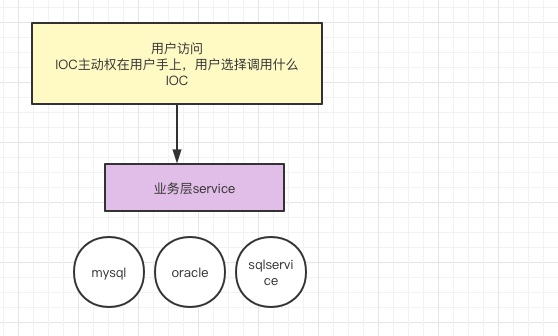
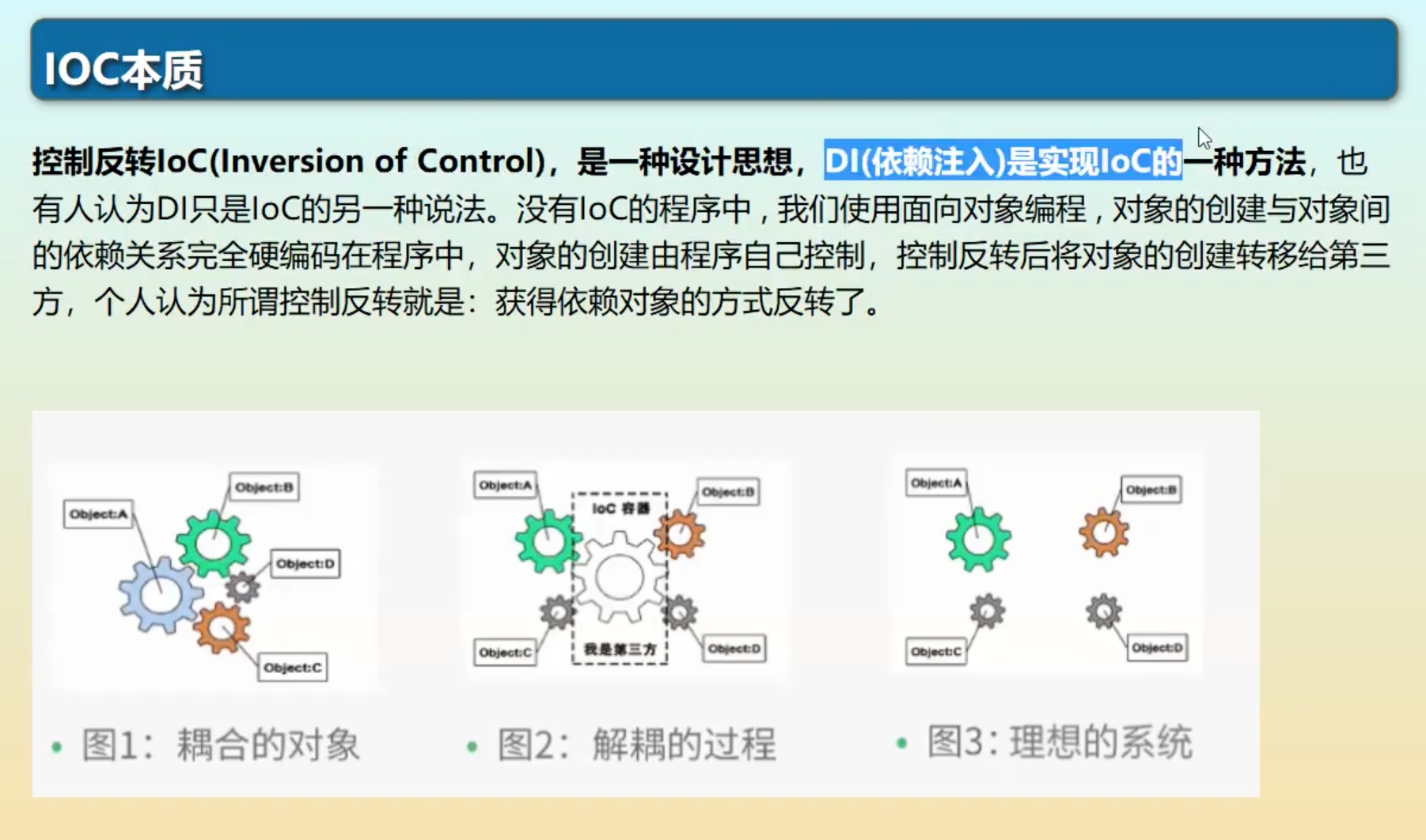
IOC
导入包
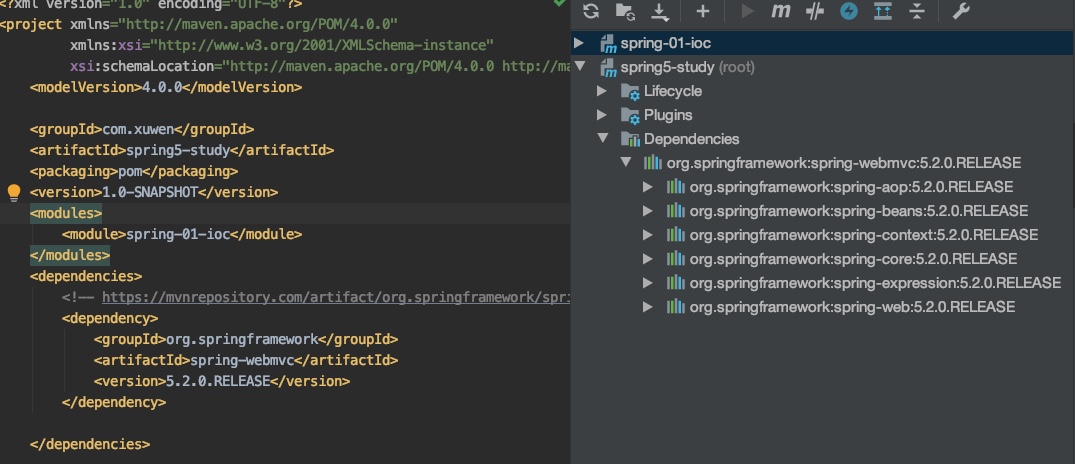
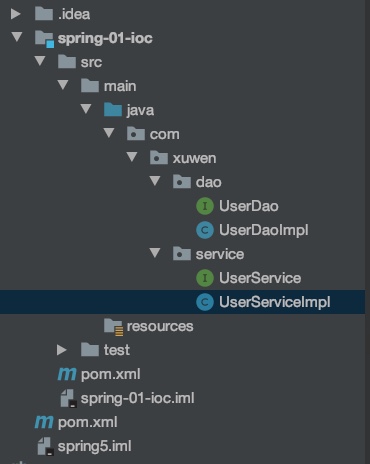
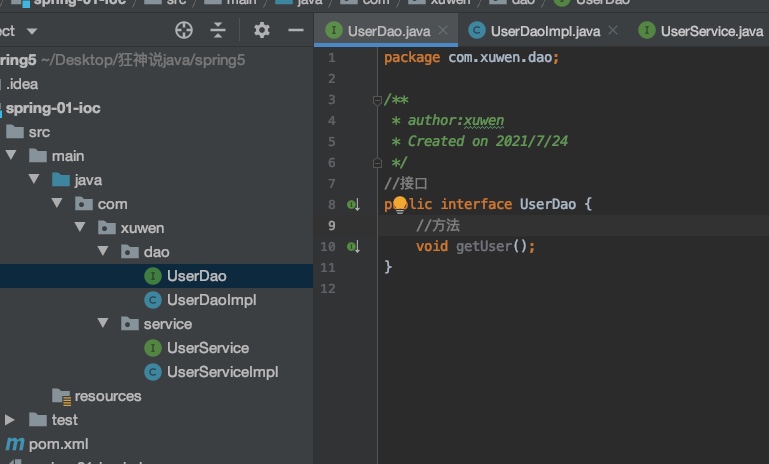
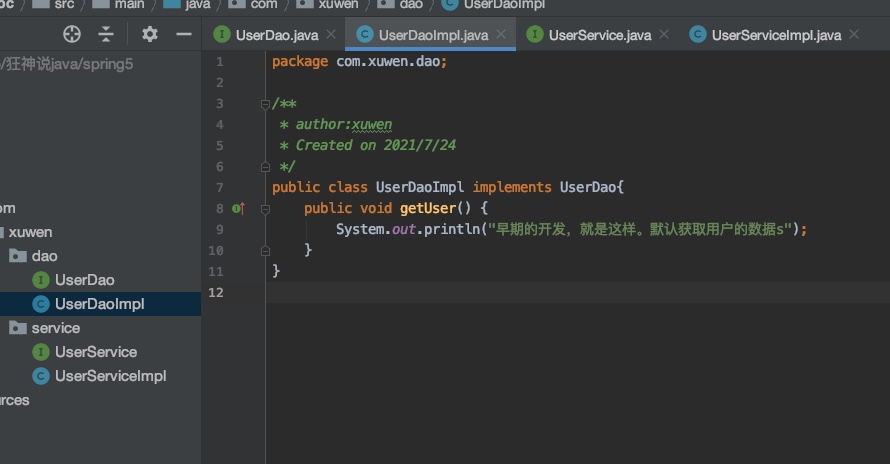
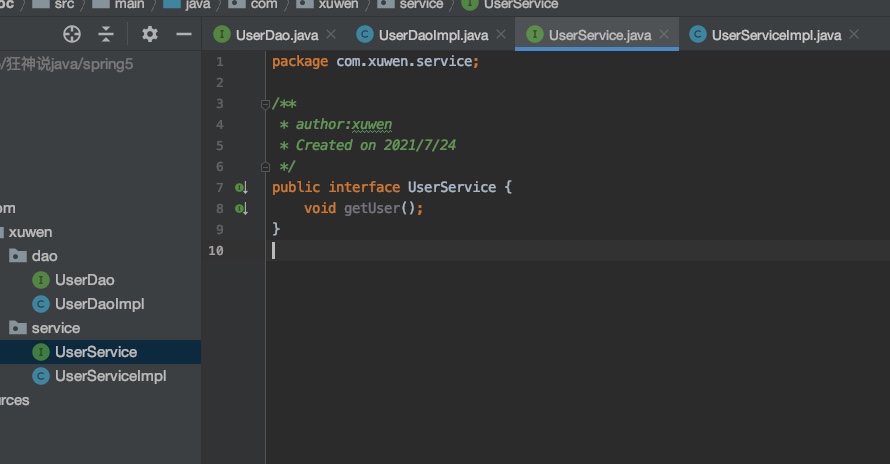
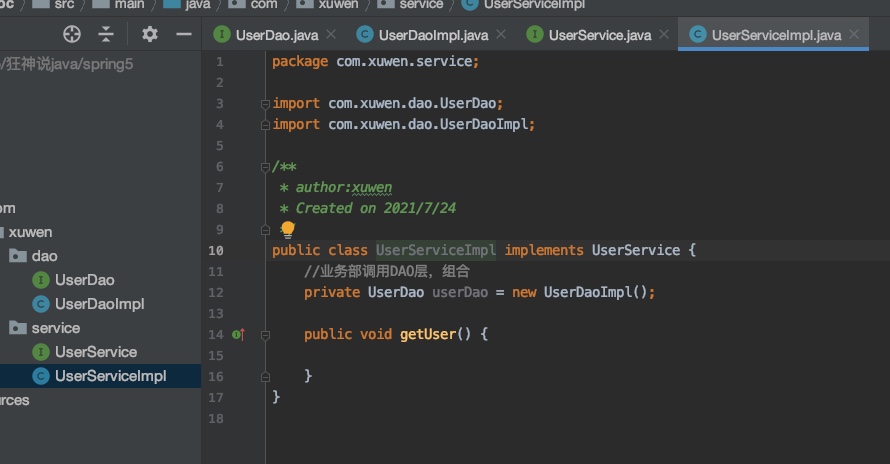
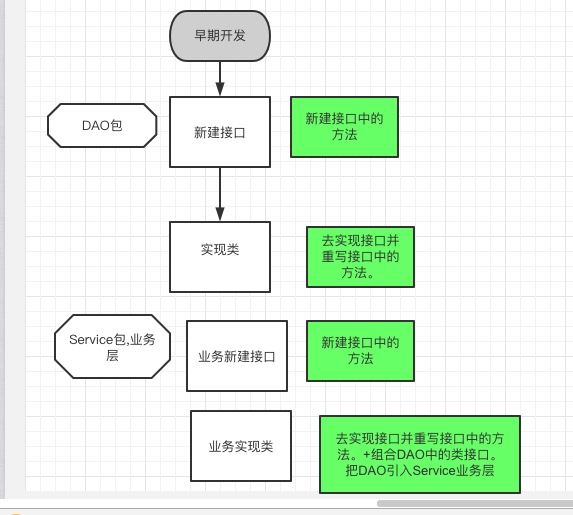
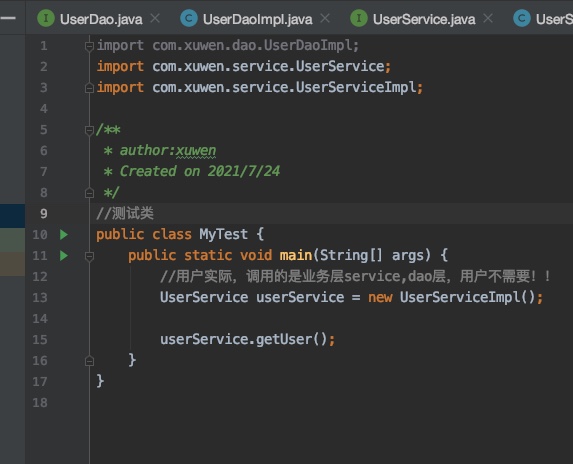
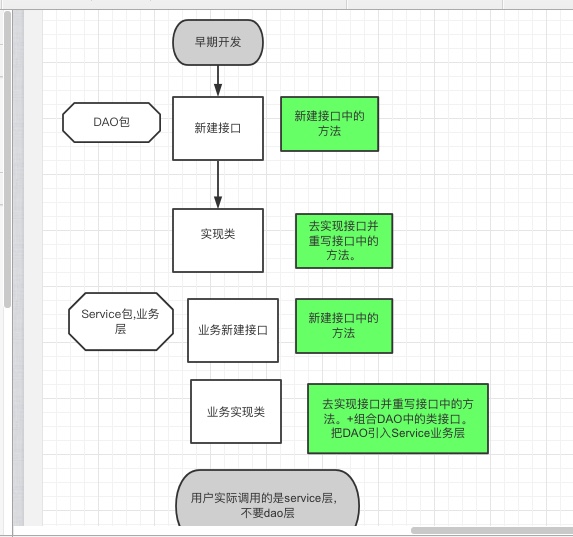
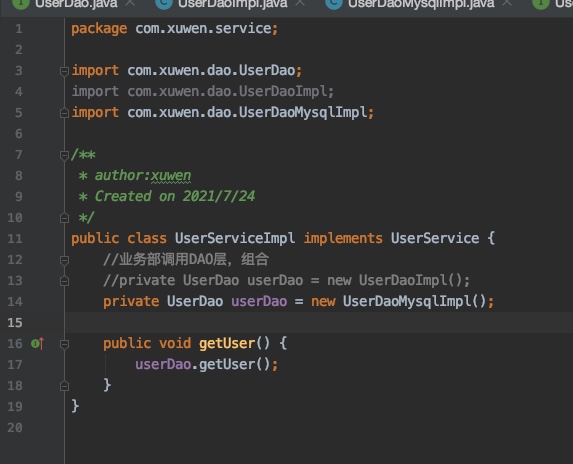
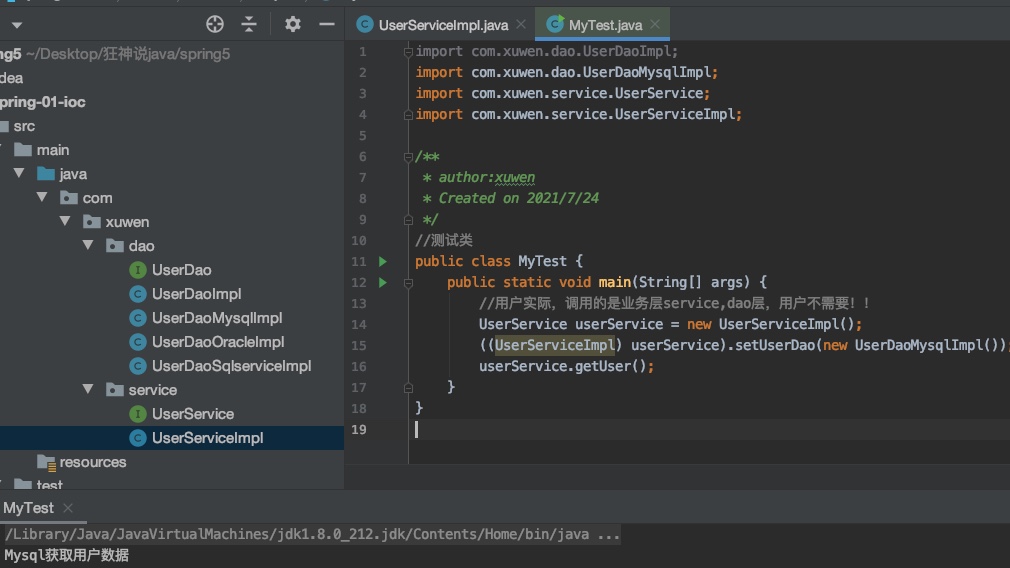
旧的开发方式,一改就需要去Service new新接口,相当于修改了,流程。
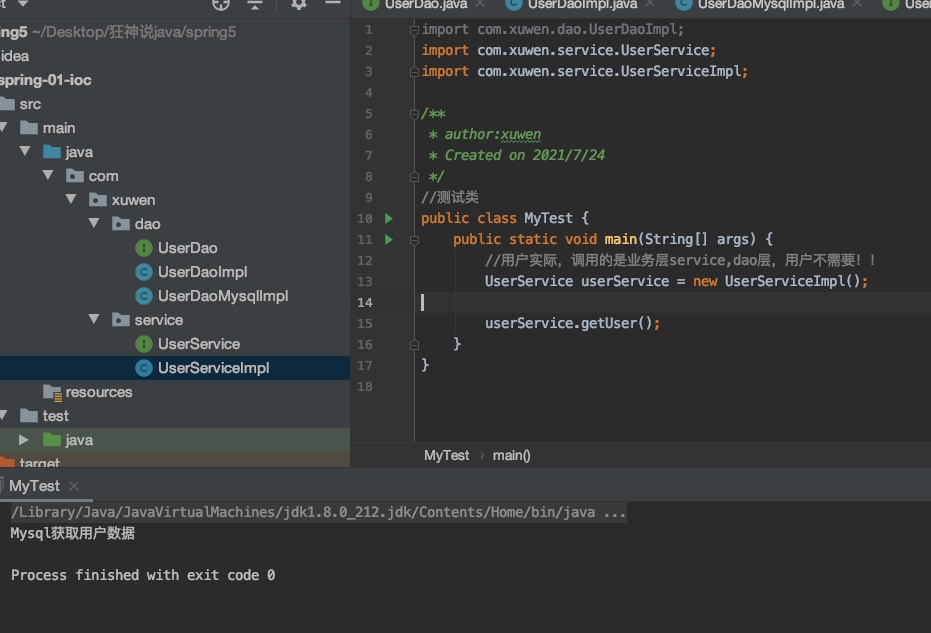
测试类不用改,但是Service层类需要修改
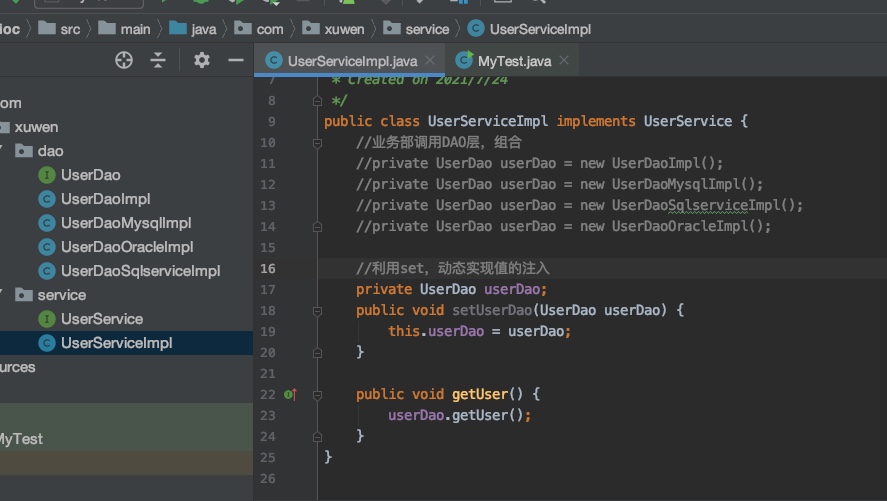
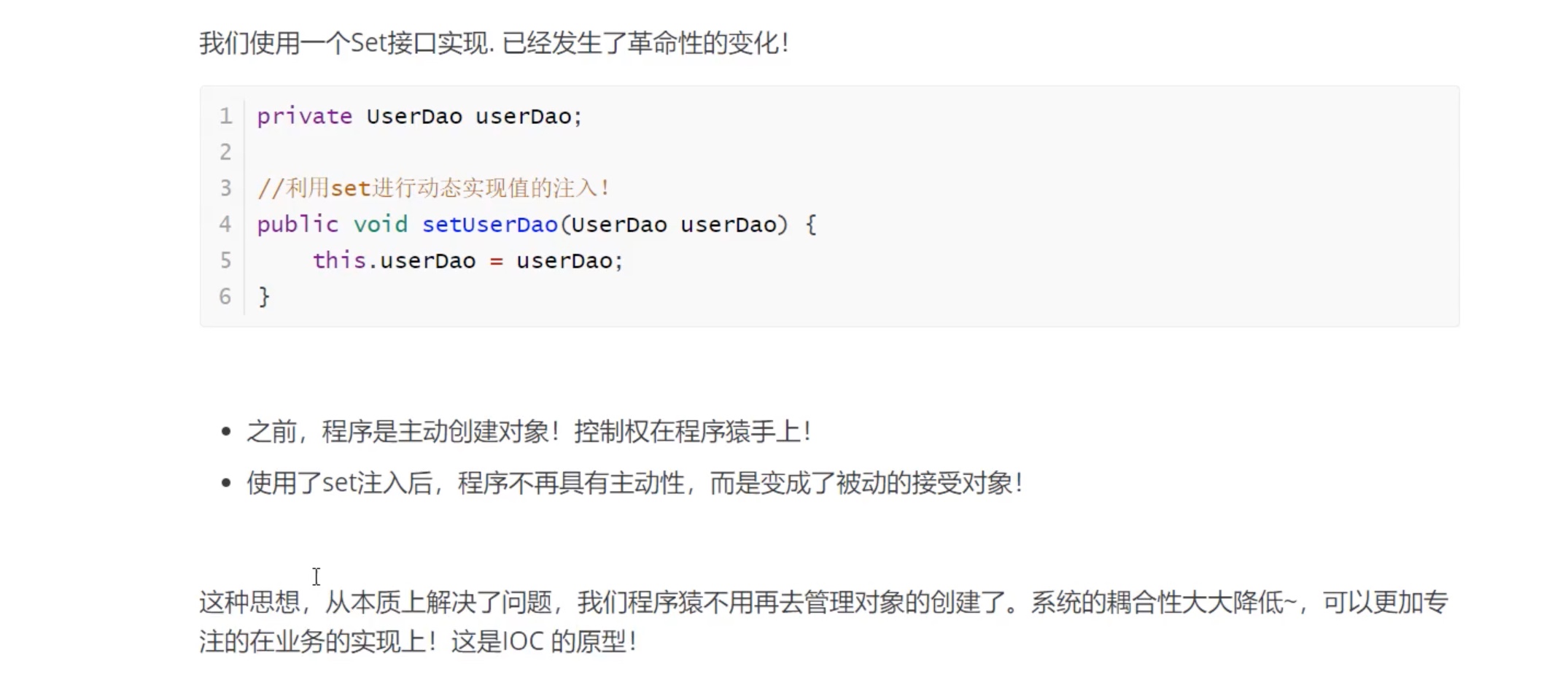
动态注入set
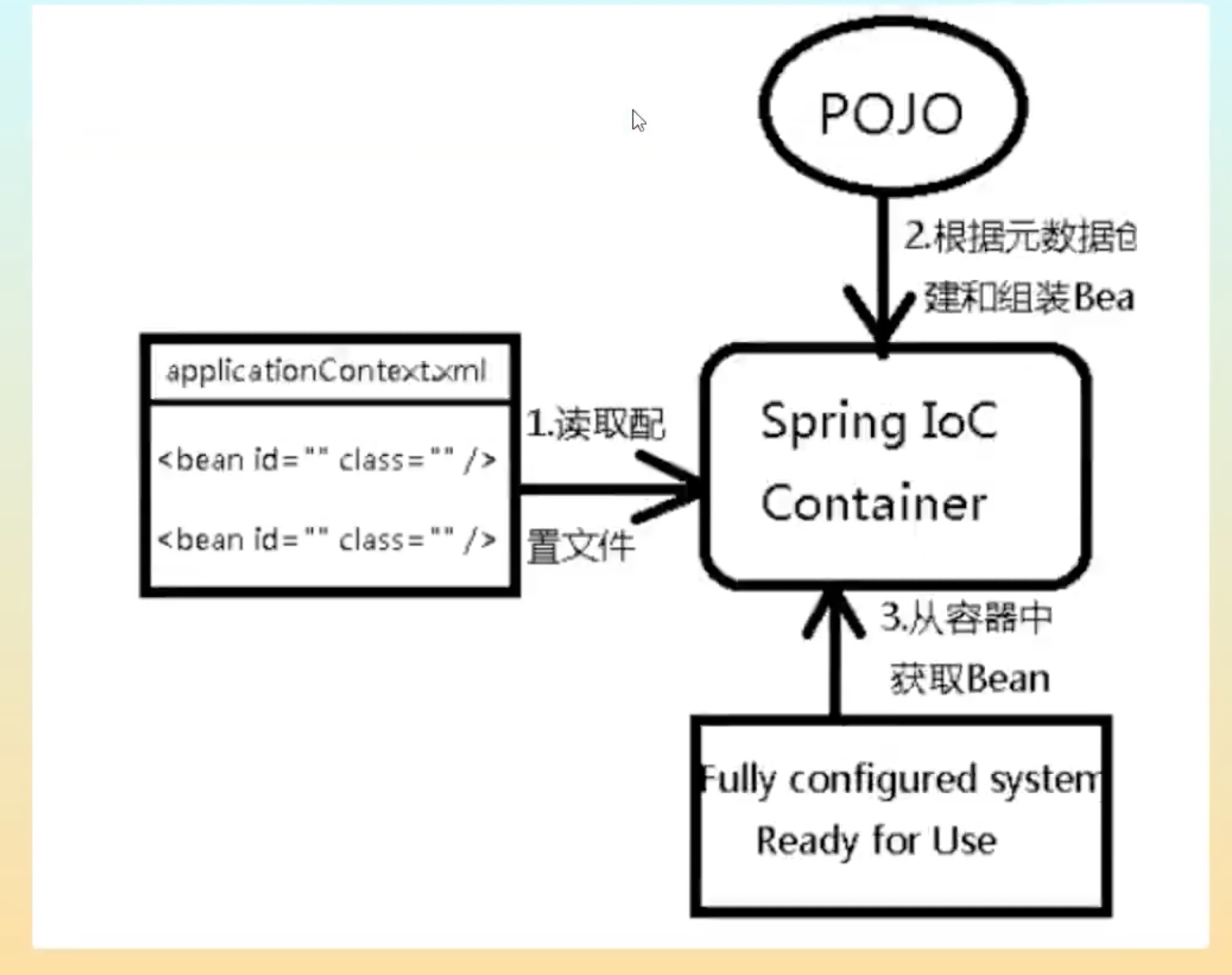
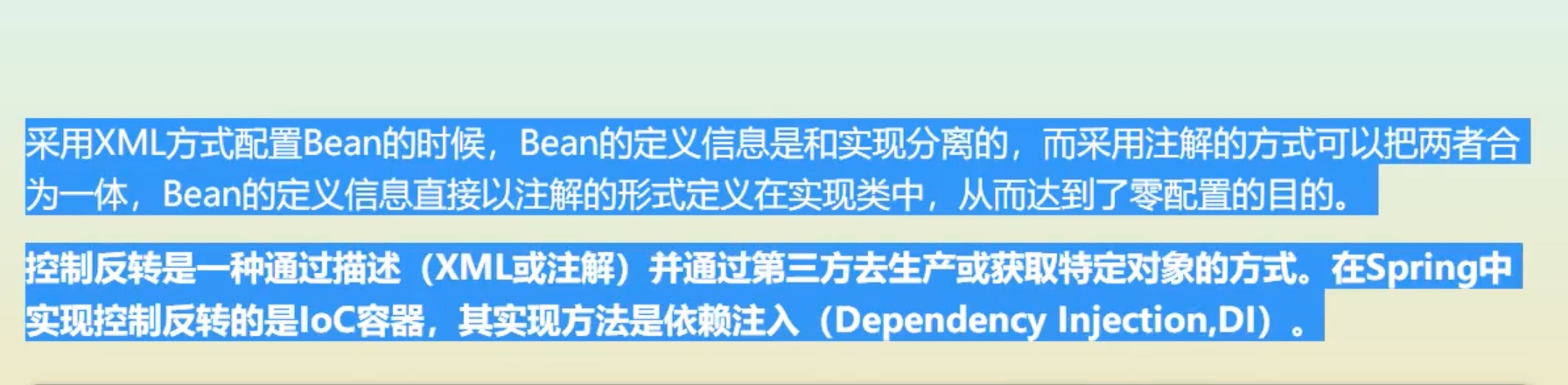
Hellospring
1.1
    <dependencies>
        <!-- https://mvnrepository.com/artifact/org.springframework/spring-webmvc -->
        <dependency>
            <groupId>org.springframework</groupId>
            <artifactId>spring-webmvc</artifactId>
            <version>5.2.0.RELEASE</version>
        </dependency>
1.2pojo类>Hello类,getter/setter+一个方法
package com.xuwen.pojo;

/**
 * author:xuwen
 * Created on 2021/7/24
 */
public class Hello {
    private String str;

    public String getStr() {
        return str;
    }

    public void setStr(String str) {
        this.str = str;
    }

    //方法
    public void show(){
        System.out.println("Hello"+ str);
    }

    @Override
    public String toString() {
        return "Hello{" +
                "str='" + str + '\'' +
                '}';
    }
}
1.3xml配置
applicationContext.xml查找=beans.xml
<?xml version="1.0" encoding="UTF-8"?>
<beans xmlns="http://www.springframework.org/schema/beans"
       xmlns:xsi="http://www.w3.org/2001/XMLSchema-instance"
       xsi:schemaLocation="http://www.springframework.org/schema/beans
        http://www.springframework.org/schema/beans/spring-beans.xsd">

    <!-- 在这里加入内容 -->
    <!-- 使用spring来创建对象,在spring中,这些都称为beans -->
    <!--id=自己取,class=指向类名-->
<!--    bean=对象 new Hello();类型 变量名 = new 类名();
        id=变量名
        class= new 对象
-->
    <bean id="hello" class="com.xuwen.pojo.Hello" >
        <property name="str" value="Spring"/>
    </bean>
</beans>
1.4测试
实例化容器对象,固定
ApplicationContext context = new ClassPathXmlApplicationContext("services.xml", "daos.xml");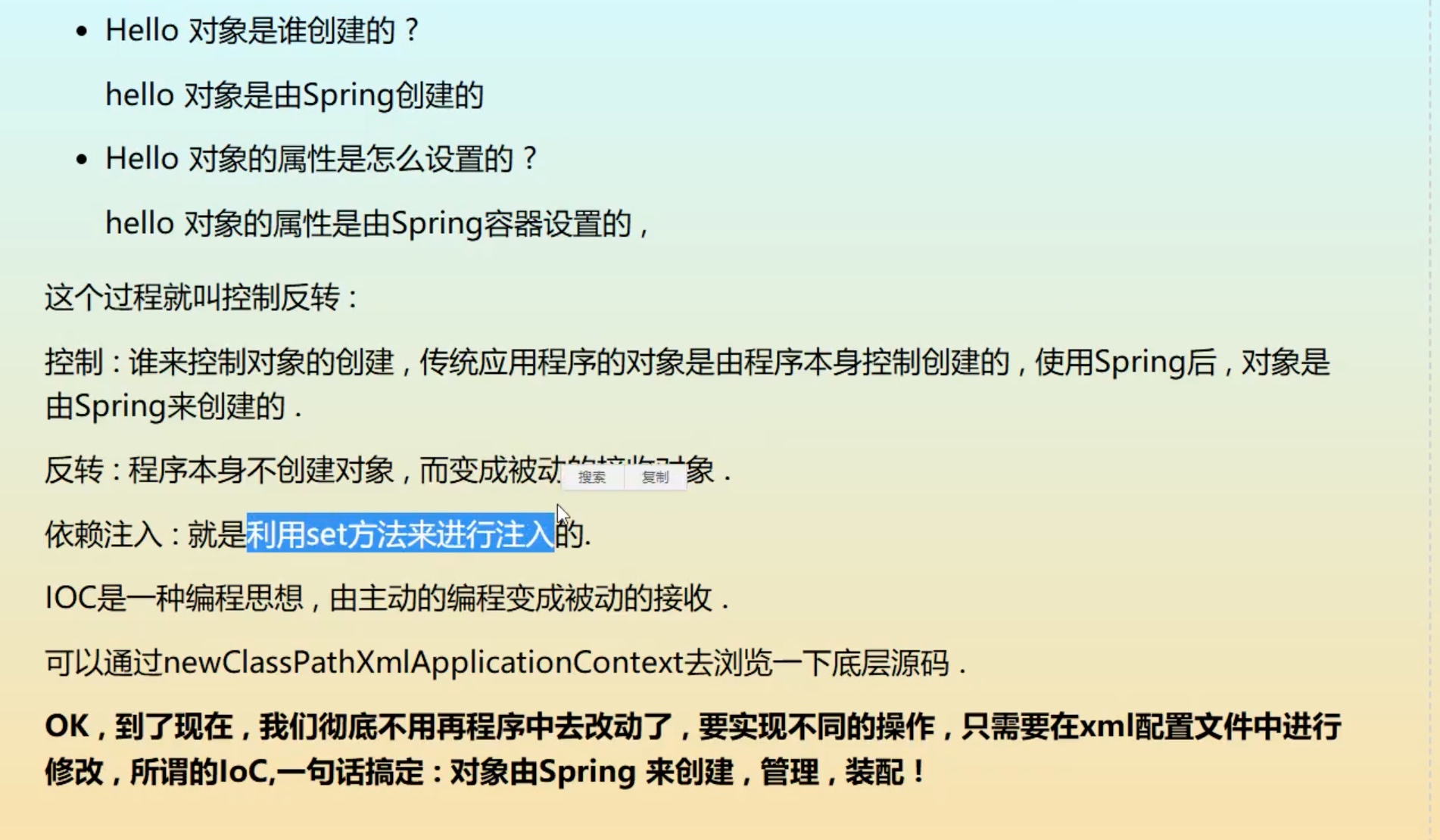

IOC创建对象的方式
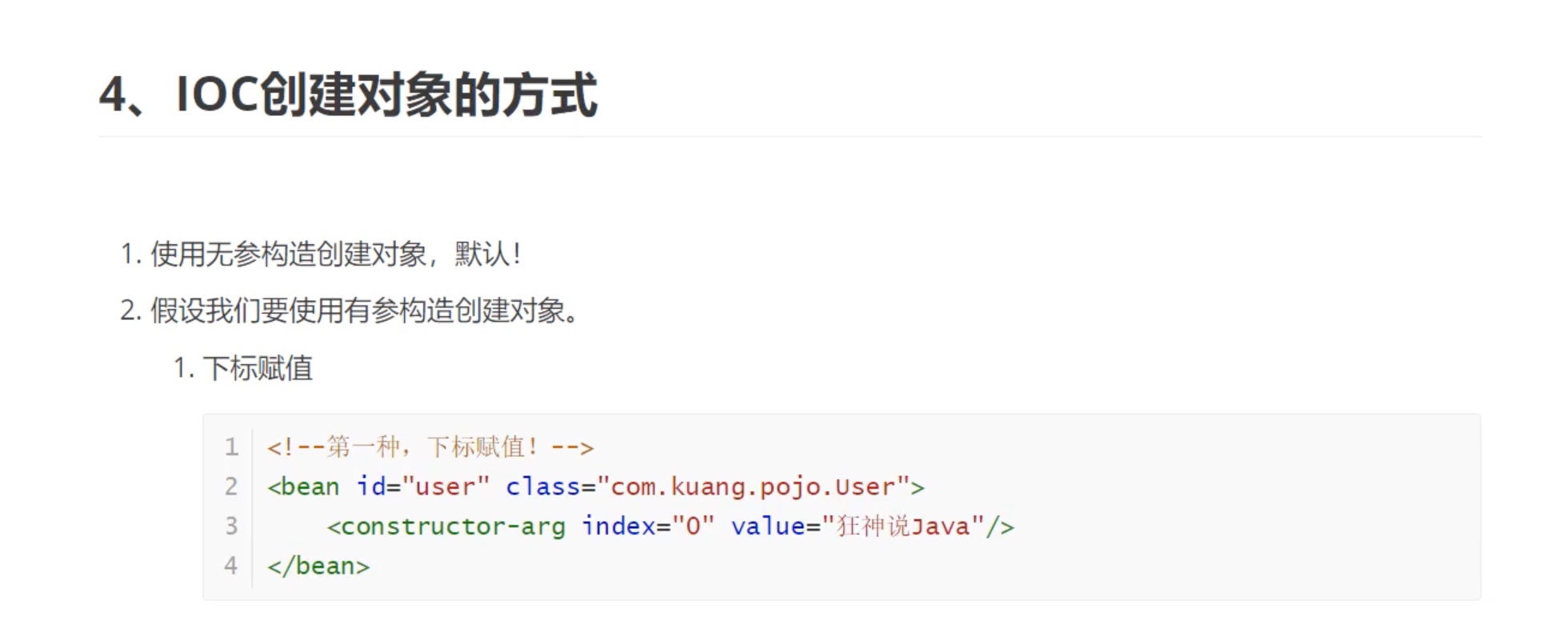
<?xml version="1.0" encoding="UTF-8"?>
<beans xmlns="http://www.springframework.org/schema/beans"
       xmlns:xsi="http://www.w3.org/2001/XMLSchema-instance"
       xsi:schemaLocation="http://www.springframework.org/schema/beans
        http://www.springframework.org/schema/beans/spring-beans.xsd">

    <bean id="user" class="com.xuwen.pojo.User">
<!--        <property name="name" value="文文酱"/>-->
        <!--带参构造,注入方法1-->
<!--        <constructor-arg index="0" value="狂神说java"/>-->
        <!--带参构造,注入方法3-->
        <constructor-arg name="name" value="狂神说java2"/>
    </bean>
</beans>
Bean的配置
<?xml version="1.0" encoding="UTF-8"?>
<beans xmlns="http://www.springframework.org/schema/beans"
       xmlns:xsi="http://www.w3.org/2001/XMLSchema-instance"
       xsi:schemaLocation="http://www.springframework.org/schema/beans
        http://www.springframework.org/schema/beans/spring-beans.xsd">
    <!--id:bean的唯一标识符,相当于对象名-->
    <!--class:bean对象所对应的:包名+类型-->
    <!--name:别名-->
    <bean id="user" class="com.xuwen.pojo.User" name="user2">
        <constructor-arg name="name" value="狂神说java2"/>
    </bean>
</beans>
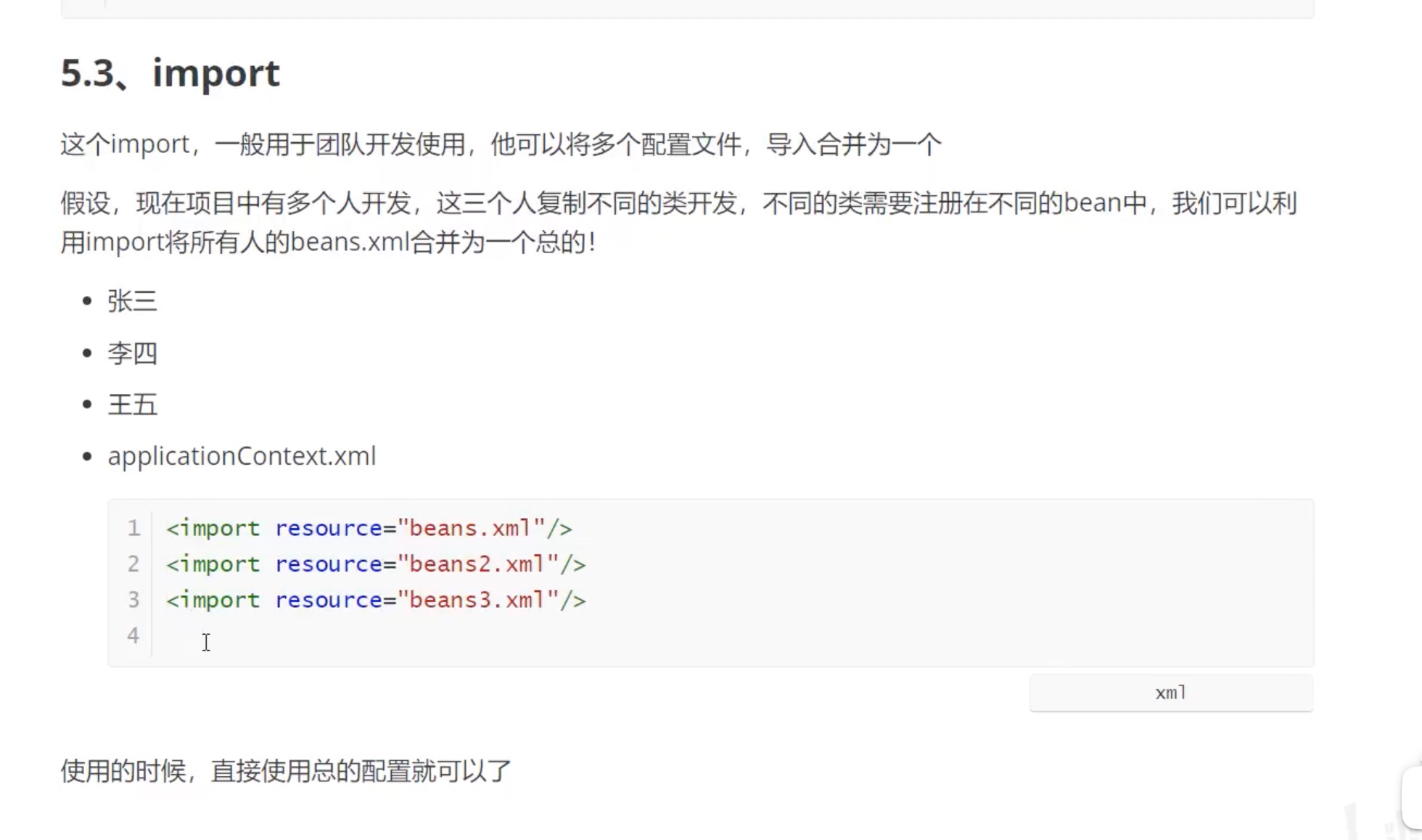
Spring配置说明
DI依赖注入环境
1.1构造器注入
1.2Set方式注入*重点
依赖注入本质是set注入,
依赖?-》bean对象的创建,依赖于容器。
注入?-〉bean对象中的所有属性,由容器来注入!
【环境搭建】
[截图]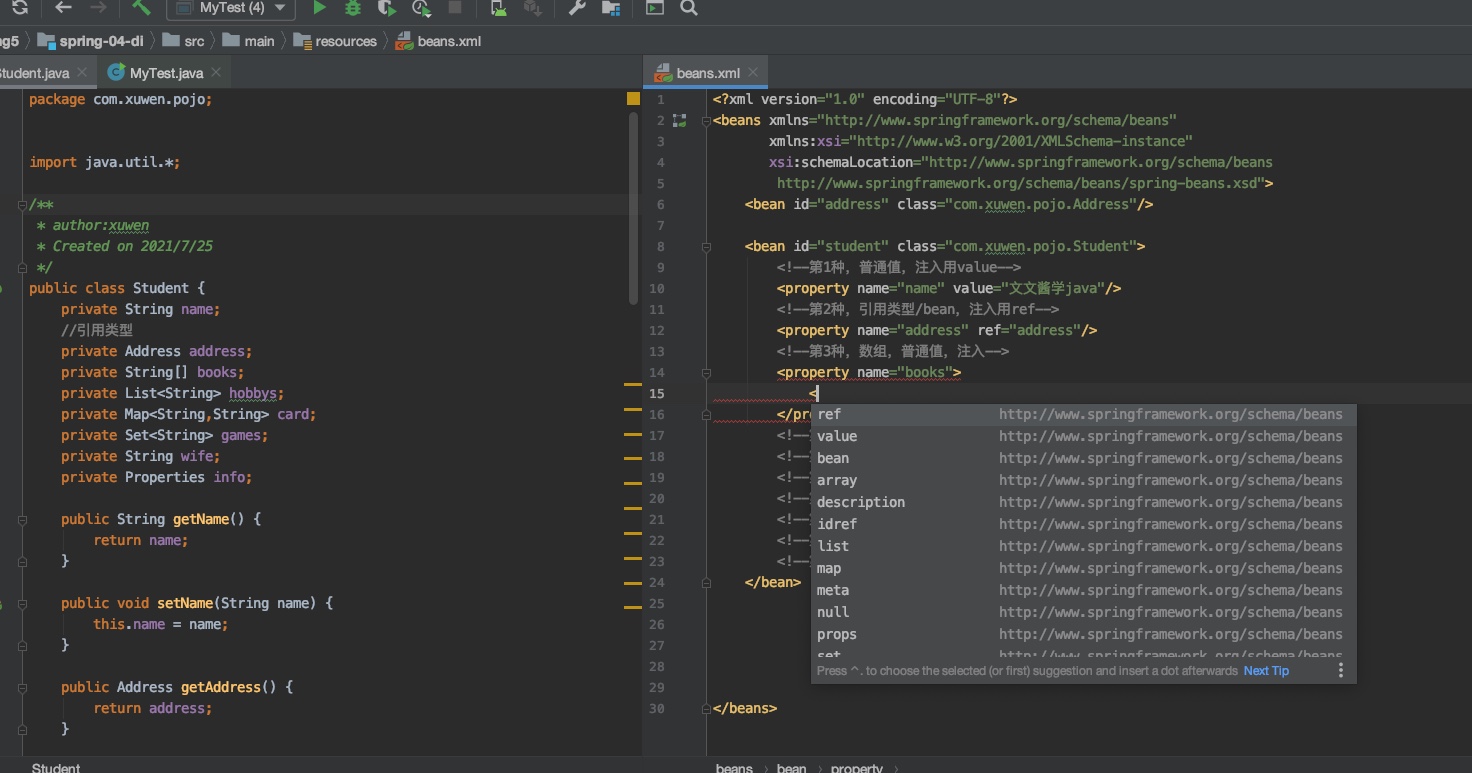
【代码】
<?xml version="1.0" encoding="UTF-8"?>
<beans xmlns="http://www.springframework.org/schema/beans"
       xmlns:xsi="http://www.w3.org/2001/XMLSchema-instance"
       xsi:schemaLocation="http://www.springframework.org/schema/beans
        http://www.springframework.org/schema/beans/spring-beans.xsd">
    <bean id="address" class="com.xuwen.pojo.Address"/>

    <bean id="student" class="com.xuwen.pojo.Student">
        <!--第1种,普通值,注入用value-->
        <property name="name" value="文文酱学java"/>
        <!--第2种,引用类型/bean,注入用ref-->
        <property name="address" ref="address"/>
        <!--第3种,数组,普通值,注入-->
        <property name="books">
            <array>
                <value>红楼梦</value>
                <value>西游记</value>
                <value>水浒传</value>
            </array>
        </property>
        <!--第4种,List泛型,普通值,注入-->
        <property name="hobbys">
            <list>
                <value>炒比特币</value>
                <value>看电影</value>
                <value>敲代码</value>
            </list>
        </property>
        <!--第5种,map泛型,普通值,注入-->
        <property name="card">
            <map>
                <entry key="身份证" value="11111111111"/>
                <entry key="银行卡" value="11111111111"/>
            </map>
        </property>
        <!--第6种,set泛型,普通值,注入-->
        <property name="games">
            <set>
                <value>穿越火线</value>
                <value>LOL</value>
            </set>
        </property>
        <!--第7种,null,注入-->
        <property name="wife">
            <null/>
        </property>
        <!--第8种,Properties,注入-->
        <property name="info">
            <props>
                <prop key="学号">s2021</prop>
            </props>
        </property>
    </bean>

</beans>
1.3其他方式注入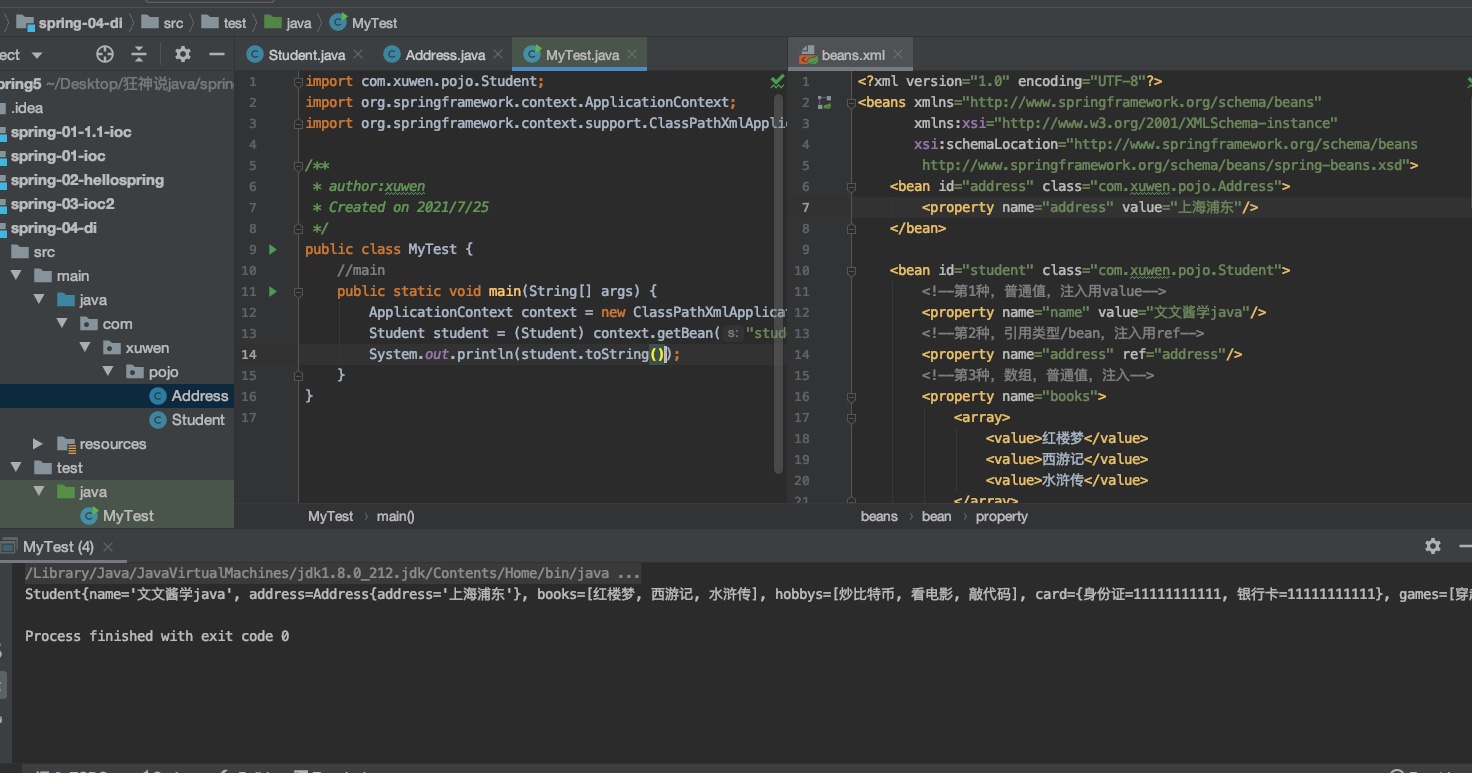
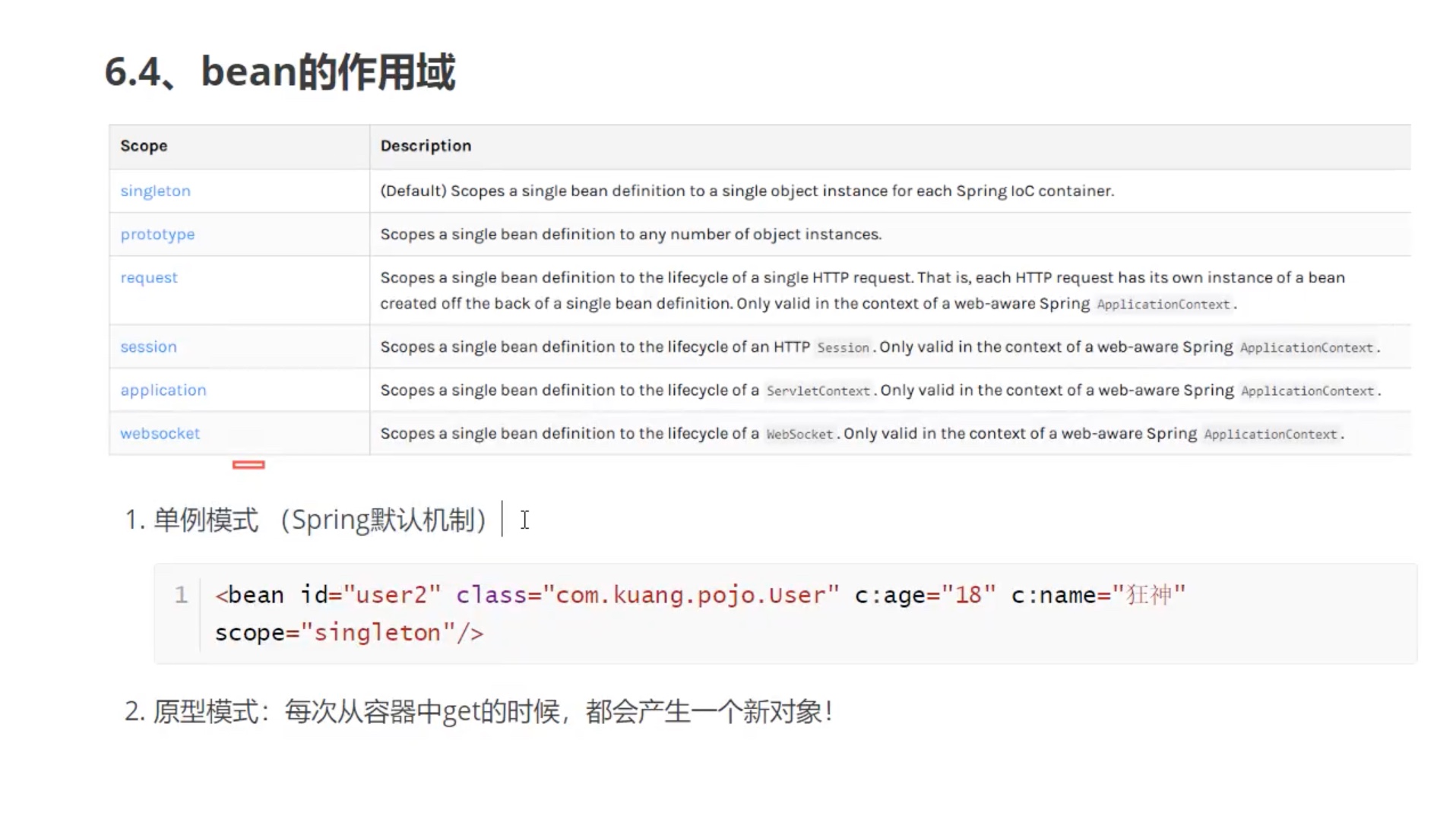
Bean的作用域
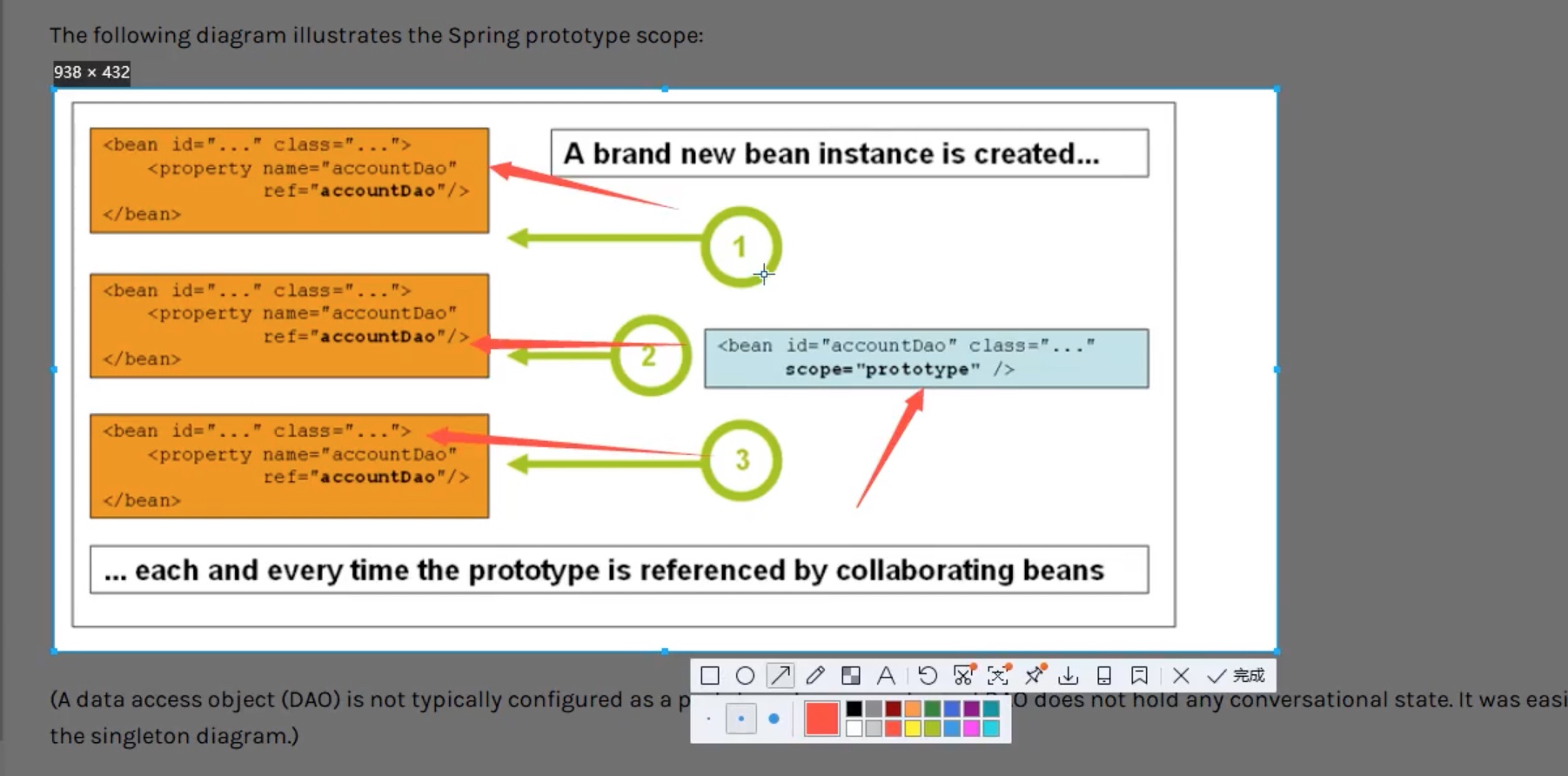
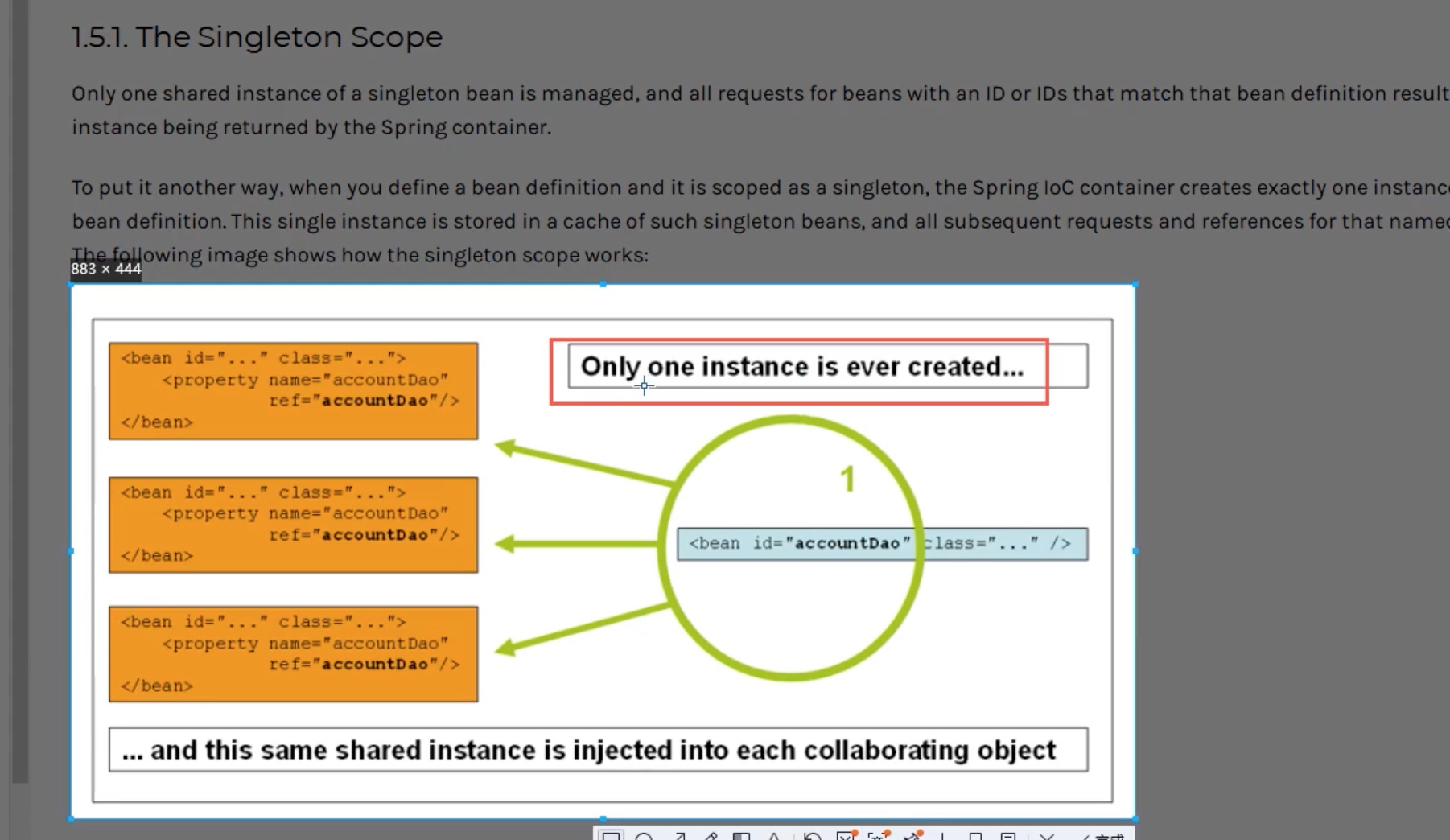
自动装配Bean
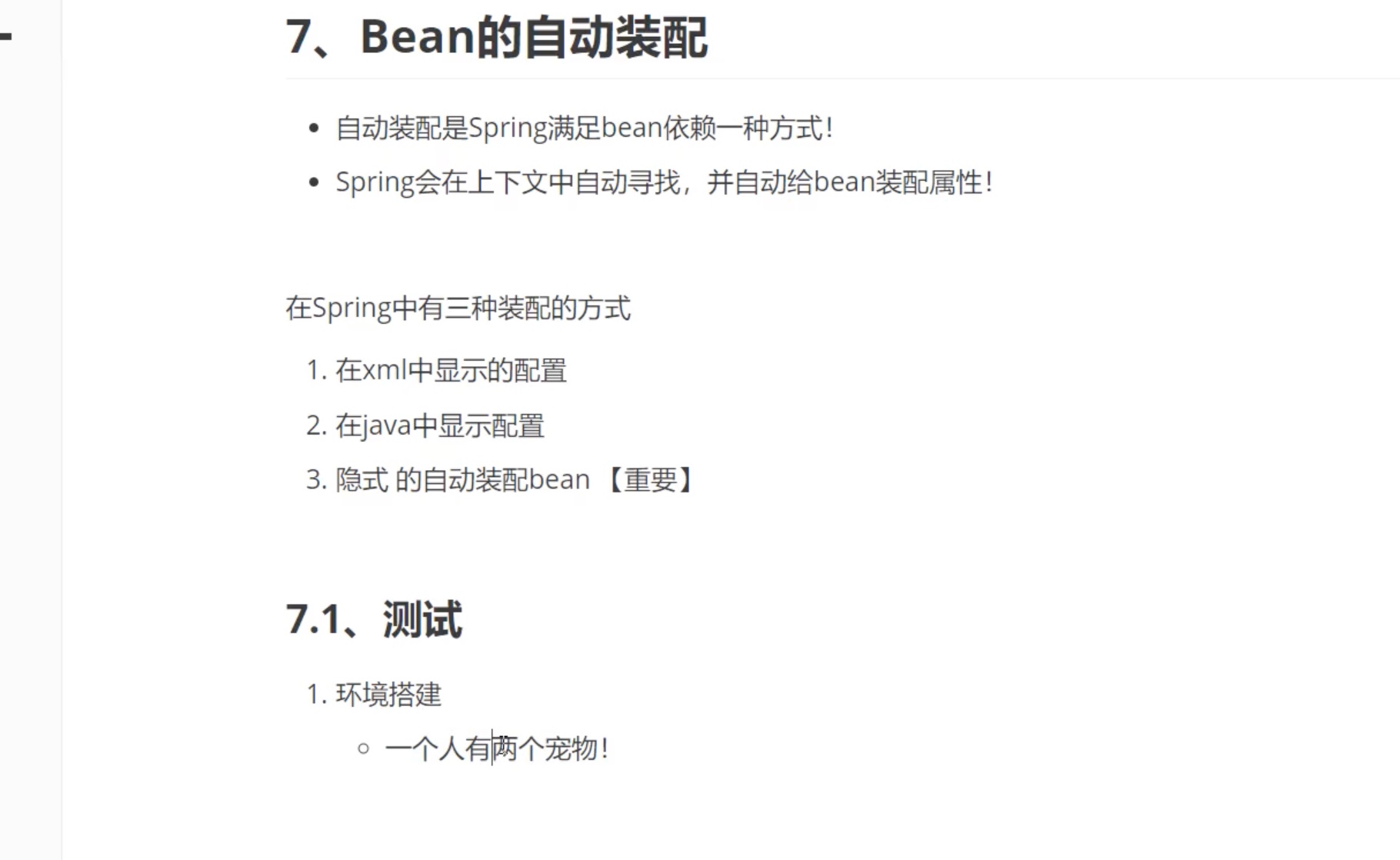
1.1ByName自动装配
1.2ByType
注解实现自动装配
1导入约束
2配置注解
官网--link
<?xml version="1.0" encoding="UTF-8"?>
<beans xmlns="http://www.springframework.org/schema/beans"
    xmlns:xsi="http://www.w3.org/2001/XMLSchema-instance"
    xmlns:context="http://www.springframework.org/schema/context"
    xsi:schemaLocation="http://www.springframework.org/schema/beans
        https://www.springframework.org/schema/beans/spring-beans.xsd
        http://www.springframework.org/schema/context
        https://www.springframework.org/schema/context/spring-context.xsd">

    <context:annotation-config/>

</beans>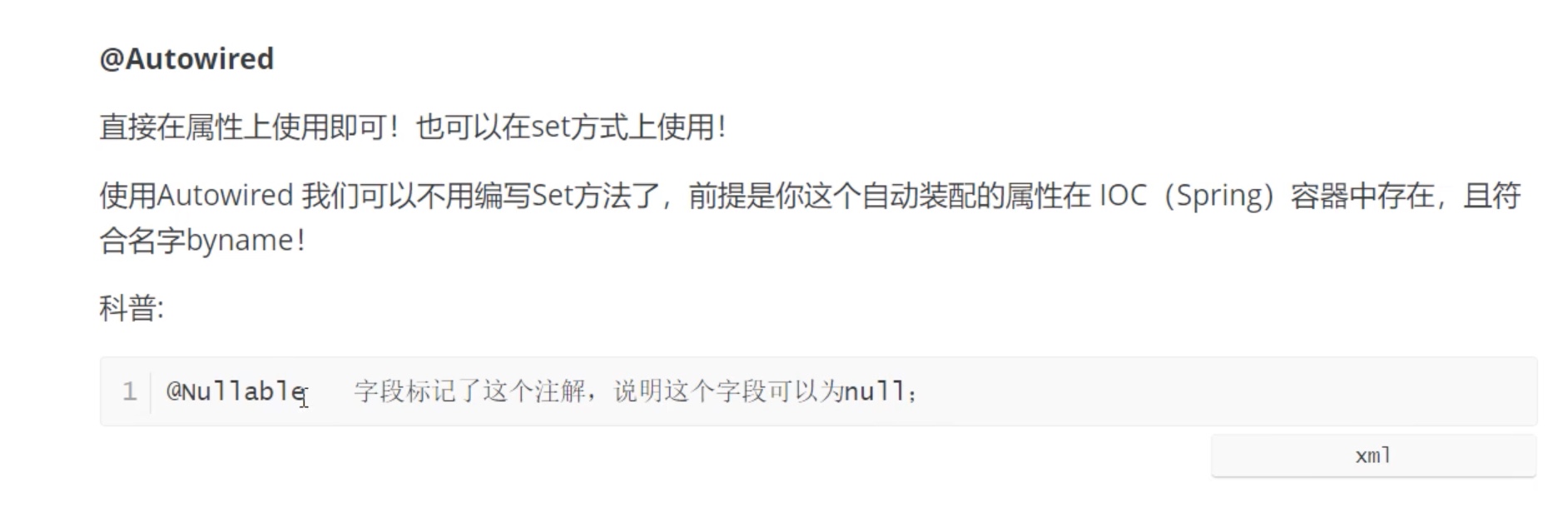
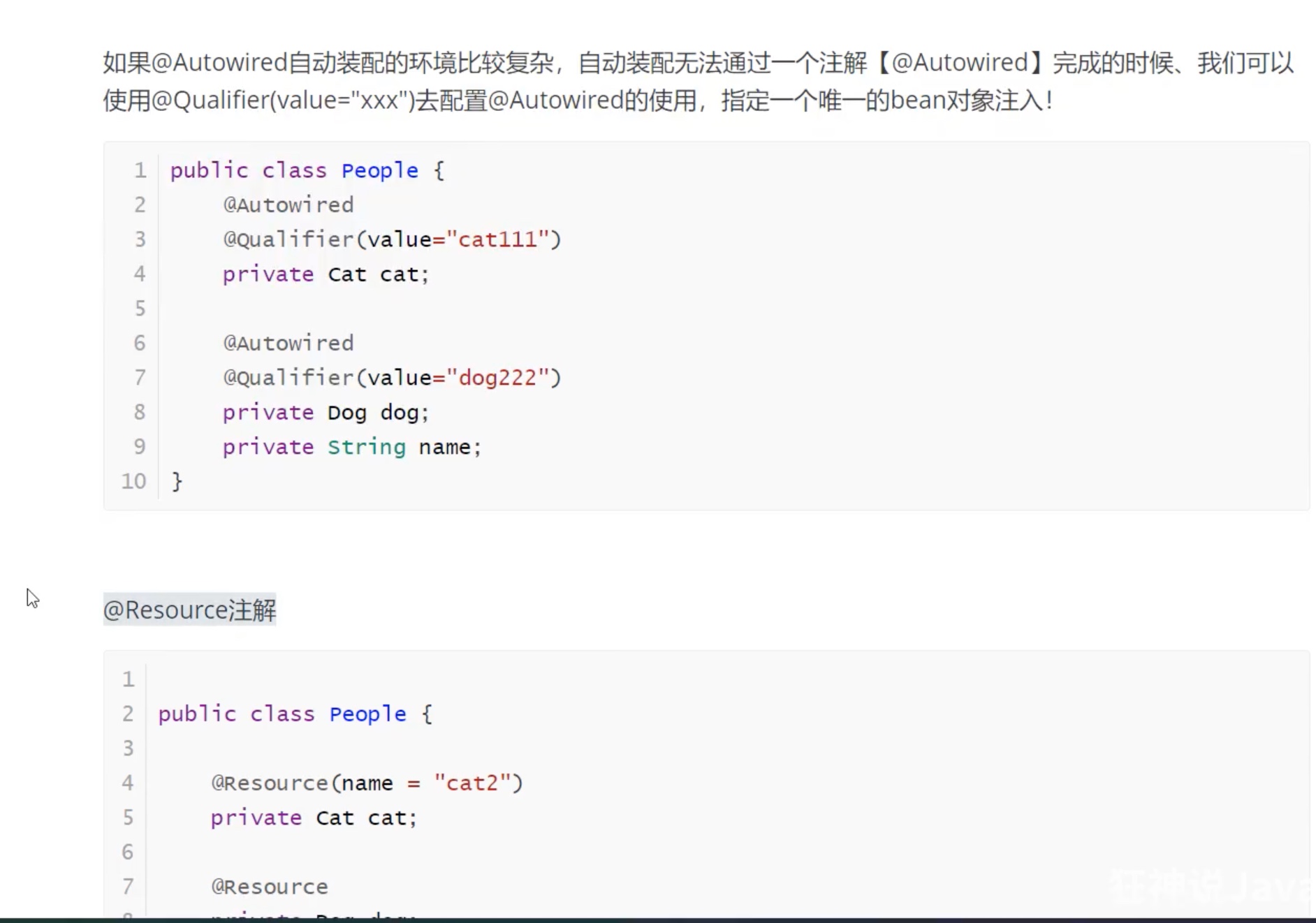
@Autowired--->直接在属性上使用。-->通过byType的方式匹配。
@Qualifier(value="")
@Resource(name="")-->java原生自己的,注解也可以使用。--》通过byName的方式和byType的方式匹配实现,如果2个都找不到,则报错!
Spring注解开发
注解开发,spring4之后,要使用注解开发,必需保证aop的包,导入了。
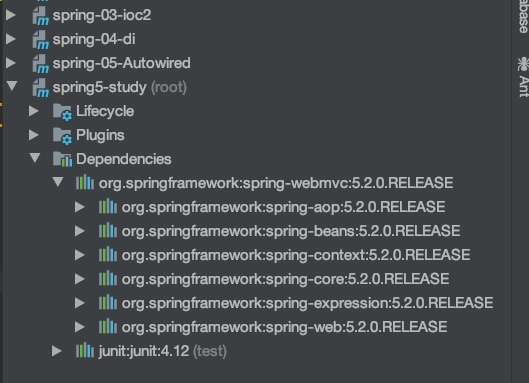
1.1导入包,aop包
1.2导入xml配置,context约束-->applicationContext
<?xml version="1.0" encoding="UTF-8"?>
<beans xmlns="http://www.springframework.org/schema/beans"
       xmlns:xsi="http://www.w3.org/2001/XMLSchema-instance"
       xmlns:context="http://www.springframework.org/schema/context"
       xmlns:aop="http://www.springframework.org/schema/aop"
       xsi:schemaLocation="http://www.springframework.org/schema/beans
        http://www.springframework.org/schema/beans/spring-beans.xsd
        http://www.springframework.org/schema/context
        https://www.springframework.org/schema/context/spring-context.xsd
        http://www.springframework.org/schema/aop
        https://www.springframework.org/schema/aop/spring-aop.xsd">
    <!--开启注解支持-->
    <context:annotation-config/>
    <!--指定要扫描的包,这个包下的注解,自动生效-->
    <context:component-scan base-package="com.xuwen.pojo"/>

</beans>
//@Component等价于=<bean id="user" class="com.xuwen.pojo.User" />
@Component
1bean
2属性如何注入
//@Component等价于=<bean id="user" class="com.xuwen.pojo.User" />
@Component
public class User {
    //@Value()==<property name="name" value="文文酱在学狂神说java" />
    @Value("文文酱在学狂神说java")
    public String name;


}
3衍生注解
3衍生注解
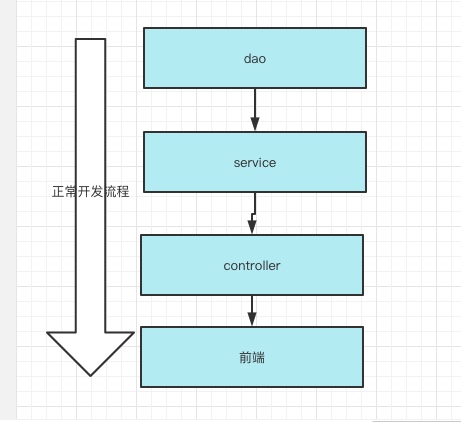
-->@Component在web开发中有多个衍生注解。MVC三层架构分层。
dao层【@Repository】
service层[@Service]
controller层[@Controller]
这四个注解功能都是一样的。都是代表将某个类,注册到Spring容器中。
4自动装配
@Autowired-->自动装配,通过类型,byType注入,spring
如果Autowired不唯一了,只需要通过@Qualifier(value="xx")
@Resource-->自动装配,通过类型/名字byType,byName注入,java自带
@Nullbale,字段可以为null
5作用域
6小结
使用javaConfig实现配置
静态代理模式
为什么要学习代理模式?答案:因为这就是springAOP的底层。面向切面编程的底层实现。
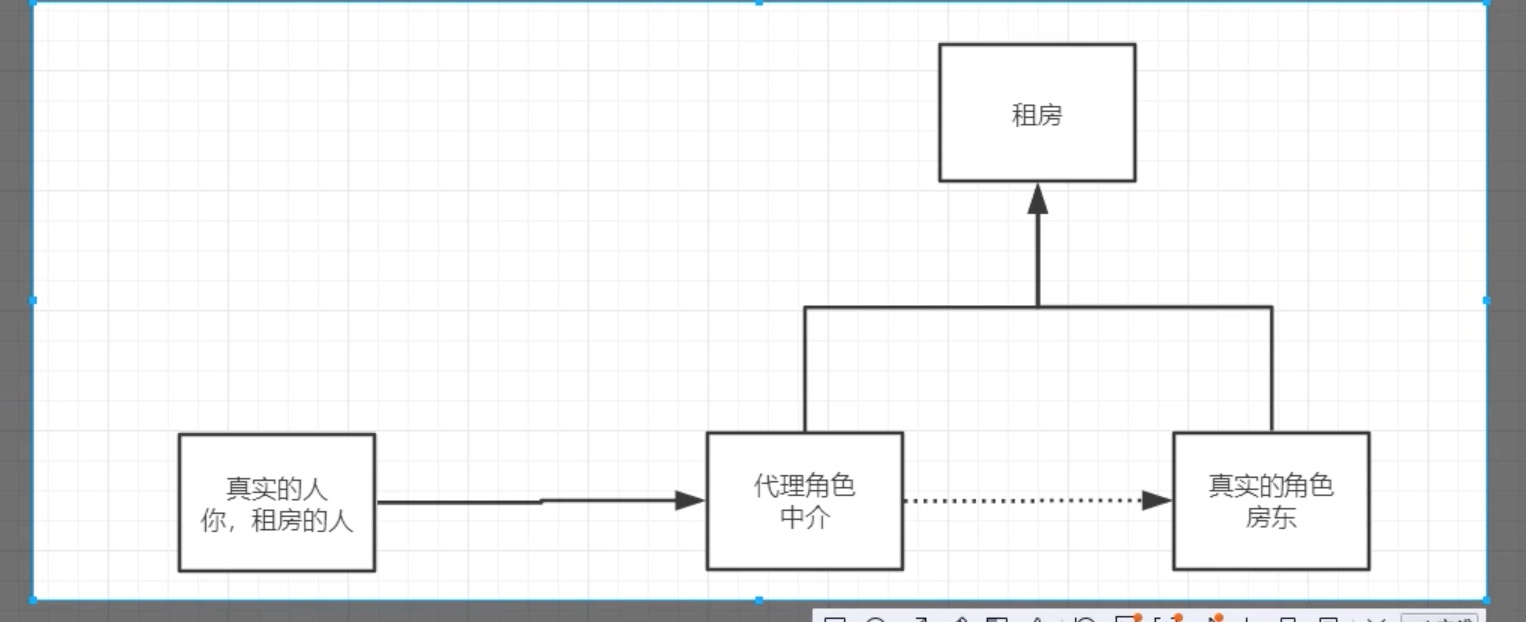
代理模式是23种模式之一。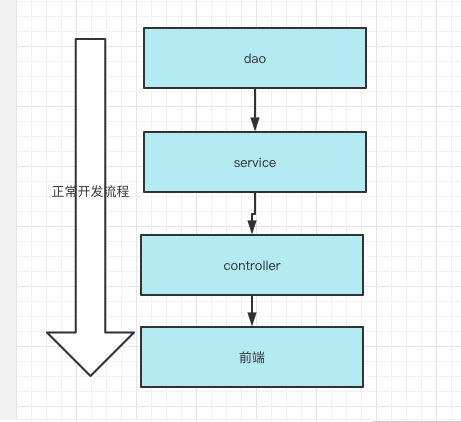
静态代理-->新增功能,可以用代理模式,因为代理可以新增自己的方法,旧方法依旧用房东的
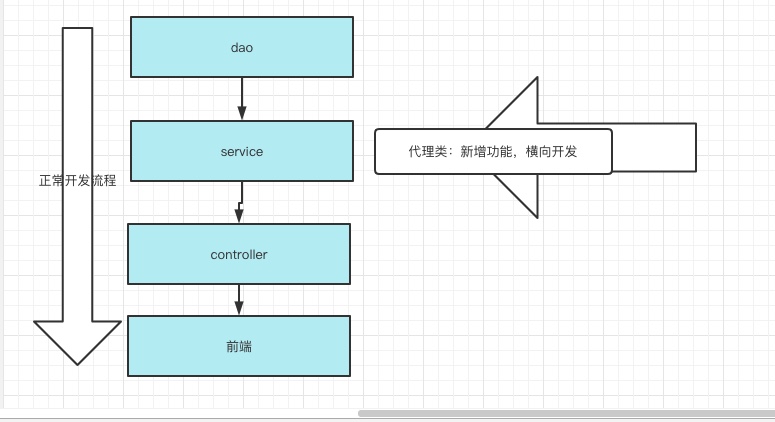
动态代理
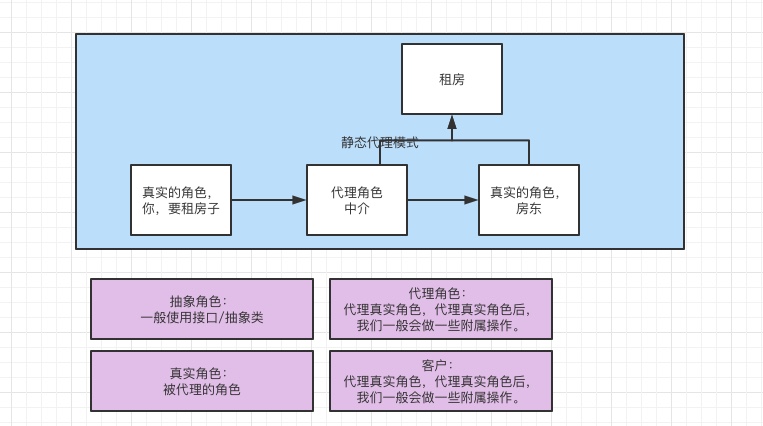
代码步骤
接口
package com.xuwen.demo01;

/**
 * author:xuwen
 * Created on 2021/7/26
 */

//租房,接口
public interface Rent {
    //方法
    public void rent();
}
真实角色
package com.xuwen.demo01;


/**
 * author:xuwen
 * Created on 2021/7/26
 */
//真实角色,--房东
public class Host implements Rent {
    public void rent() {
        System.out.println("房东出租房子!");
    }
}
代理角色
package com.xuwen.demo01;

/**
 * author:xuwen
 * Created on 2021/7/26
 */
//中介-》代理角色
public class Proxy implements Rent {

    //用组合的方式,把房东拿过来
    private Host host;

    //构造器,无参构造+有参构造
    public Proxy(){}
    public Proxy(Host host){
        this.host = host;
    }
    //重写方法->方法调房东的,代理帮房东,租房子;代理模式可以加入代理自己的方法
    public void rent() {
        host.rent();
        seeHouse();
        Collectrent();
    }

    //代理角色,额外的功能,代理自己写的方法
    //看房子
    public void seeHouse(){
        System.out.println("中介带你看房子");

    }

    //收房租
    public void Collectrent(){
        System.out.println("中介收租金,拉皮条抽佣金");
    }
}
客户端访问代理角色,我
package com.xuwen.demo01;

/**
 * author:xuwen
 * Created on 2021/7/26
 */
//真实角色,我
public class Client {
    //main
    public static void main(String[] args) {
        //new房东
        Host host = new Host();
        //代理
        Proxy proxy = new Proxy(host);
        proxy.rent();
    }
}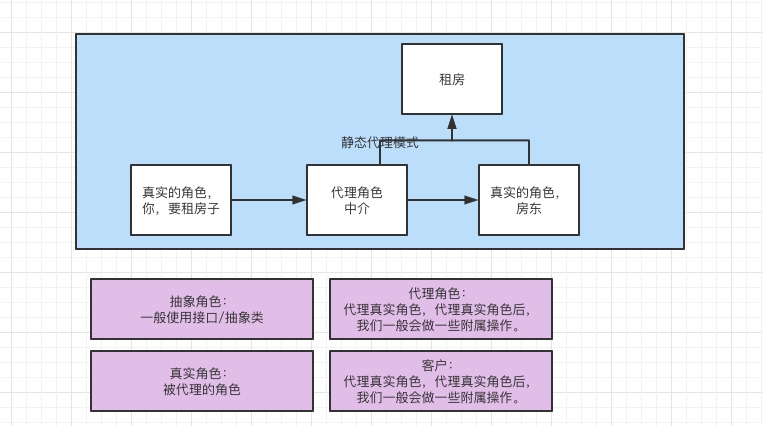
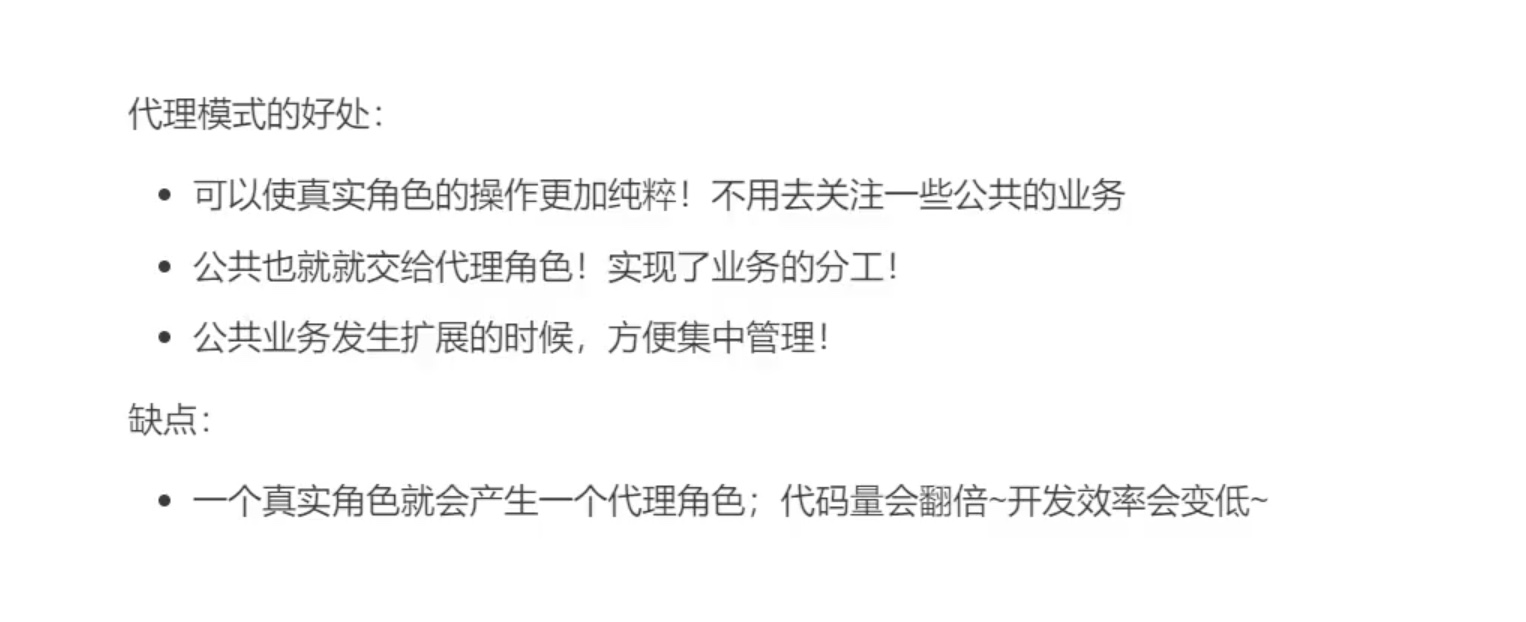
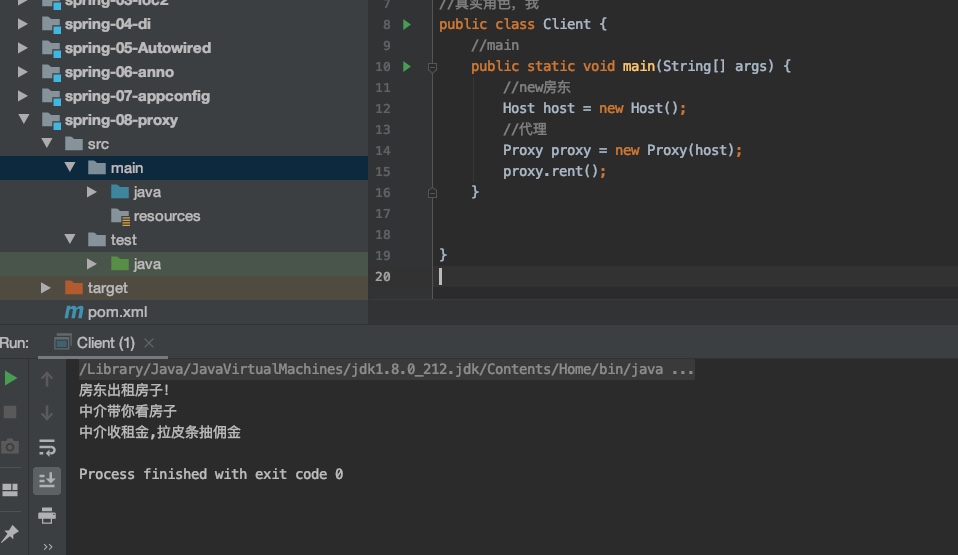
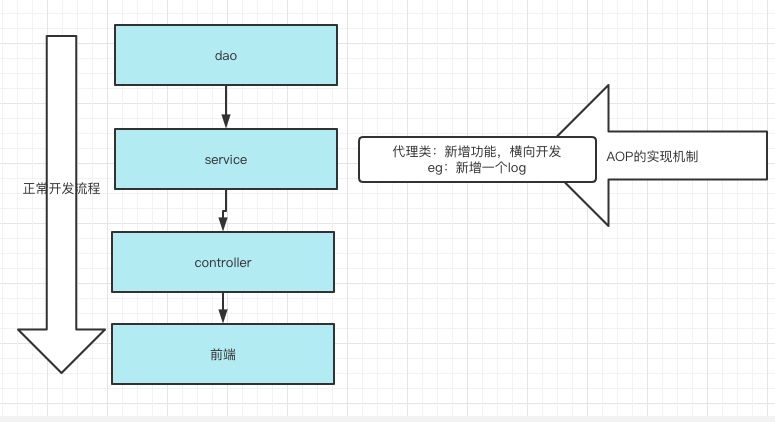
静态代理,缺点,我需要把房东的方法全部重写一遍,代码量很大,所以加入了动态代理,动态代理的底层就是反射机制。
动态代理模式
动态代理和静态代理,角色一样
动态代理的,代理类,是动态生成的。不是我们写好的
动态代理分类2大类,1基于接口的动态代理。2基于类的动态代理。
基于接口动态代理--JDK
基于类的,动态代理--cglib
java字节码实现:javasist
需要了解2个类:Proxy,invocationHandler
动态代理
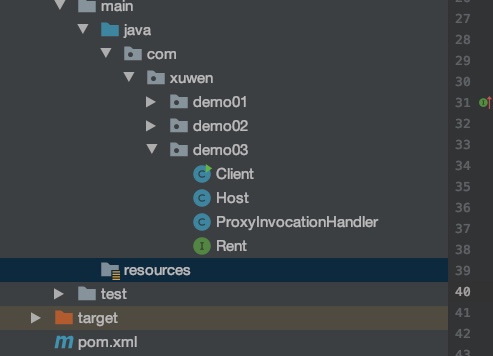
租房子接口
//租房,接口
public interface Rent {
    //方法
    public void rent();
}
房东
//真实角色,--房东
public class Host implements Rent {
    public void rent() {
        System.out.println("房东出租房子!");
    }
}
代理生成器
package com.xuwen.demo03;

import java.lang.reflect.InvocationHandler;
import java.lang.reflect.Method;
import java.lang.reflect.Proxy;

/**
 * author:xuwen
 * Created on 2021/7/26
 */

//等会,我们会用这个类,自动生成代理类
    //类去实现接口,InovcationHandler
public class ProxyInvocationHandler implements InvocationHandler {
    //被代理的接口
    private Rent rent;
    public void setRent(Rent rent){
        this.rent = rent;
    }

    //生成得到代理类
    //死代码,固定的,只需要去修改rent
    public Object getProxy(){
        //rent接口,getClass,getinterfaces
      return  Proxy.newProxyInstance(this.getClass().getClassLoader(),rent.getClass().getInterfaces(),this);
    }


    //重写一个方法
    //处理代理实例,并返回结果
    public Object invoke(Object proxy, Method method, Object[] args) throws Throwable {
        //动态代理的本质,就是使用反射机制实现
        seeHouse();
        payMoney();
        Object result = method.invoke(rent,args);
        return result;
    }

    //代理角色的,自己的方法
    public void seeHouse(){
        System.out.println("中介带你看房子");
    }
    public void payMoney(){
        System.out.println("租房子的人,付钱给中介");
    }
}
我
public class Client {
    //main
    public static void main(String[] args) {
        //真实角色
        Host host = new Host();

        //代理角色,暂时没有,pih是代理角色的处理程序!
        ProxyInvocationHandler pih = new ProxyInvocationHandler();
        //通过程序,处理角色来处理我们要调用的接口对象
        pih.setRent(host);
        //通过pin.getProxy()拿到代理者,代理者再调用房东的方法
        Rent proxy = (Rent)pih.getProxy();
        proxy.rent();

    }
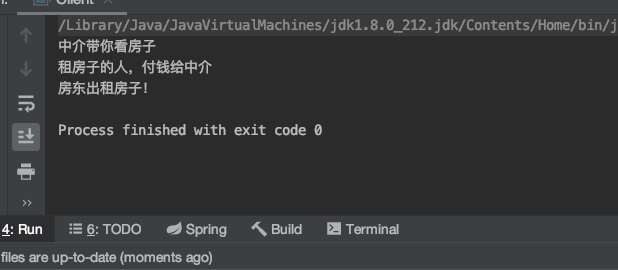
}
万能动态代理,下次有项目直接抄袭这一段
package com.xuwen.demo04;

import com.xuwen.demo03.Rent;

import java.lang.reflect.InvocationHandler;
import java.lang.reflect.Method;
import java.lang.reflect.Proxy;

/**
 * author:xuwen
 * Created on 2021/7/26
 */

//等会,我们会用这个类,自动生成代理类
    //类去实现接口,InovcationHandler
public class ProxyInvocationHandler implements InvocationHandler {
    //被代理的接口
    private Object target;
    public void setTarget(Object target){
        this.target = target;
    }

    //生成得到代理类
    //死代码,固定的,只需要去修改rent
    public Object getProxy(){
        //rent接口,getClass,getinterfaces
      return  Proxy.newProxyInstance(this.getClass().getClassLoader(),target.getClass().getInterfaces(),this);
    }


    //重写一个方法
    //处理代理实例,并返回结果
    public Object invoke(Object proxy, Method method, Object[] args) throws Throwable {
        //动态代理的本质,就是使用反射机制实现
        Object result = method.invoke(target,args);
        return result;
    }

    //代理角色的,自己的方法

}
测试,Client
package com.xuwen.demo04;

import com.xuwen.demo02.UserService;
import com.xuwen.demo02.UserServiceimpl;

/**
 * author:xuwen
 * Created on 2021/7/26
 */
public class Client {

    //main
    public static void main(String[] args) {
        //真实角色
        UserServiceimpl userService = new UserServiceimpl();

        //代理角色,不存在
        ProxyInvocationHandler pin = new ProxyInvocationHandler();
        pin.setTarget(userService);//设置要代理的对象
        //动态代理类,代理,一定要确定类型,强转,否则拿不到方法
        UserService proxy = (UserService)pin.getProxy();
        proxy.add();
        proxy.delete();
        proxy.query();
        proxy.update();

    }
}
AOP实现
<?xml version="1.0" encoding="UTF-8"?>
<beans xmlns="http://www.springframework.org/schema/beans"
       xmlns:xsi="http://www.w3.org/2001/XMLSchema-instance"
       xmlns:context="http://www.springframework.org/schema/context"
       xmlns:aop="http://www.springframework.org/schema/aop"
       xsi:schemaLocation="http://www.springframework.org/schema/beans
        http://www.springframework.org/schema/beans/spring-beans.xsd
        http://www.springframework.org/schema/context
        https://www.springframework.org/schema/context/spring-context.xsd
        http://www.springframework.org/schema/aop
        https://www.springframework.org/schema/aop/spring-aop.xsd">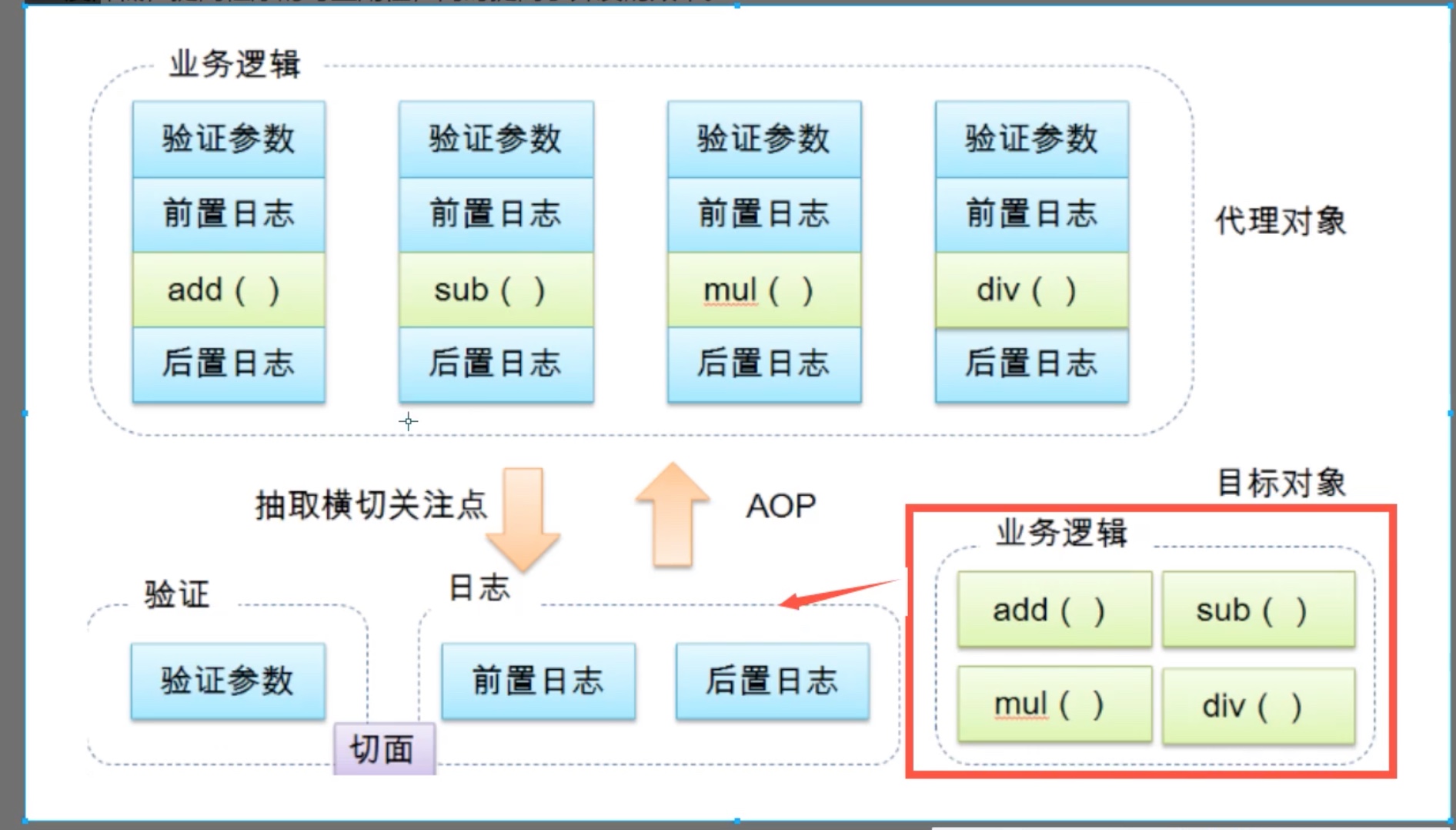
maven导入包
    <dependencies>
        <dependency>
            <groupId>org.aspectj</groupId>
            <artifactId>aspectjweaver</artifactId>
            <version>1.9.4</version>
        </dependency>
    </dependencies>
方法一:使用Spring的API接口
target.getClass().getName()目标对象的类,
method.getName()什么方法。
Log
public class Log implements MethodBeforeAdvice {
    //重写方法
    //method:要执行的目标对象的方法
    // Object:参数
    // Obetct:target
    public void before(Method method, Object[] args, Object target) throws Throwable {
        System.out.println(target.getClass().getName()+"的"+method.getName()+"被执行了");

    }
}
AfterLog
public class AfterLog implements AfterReturningAdvice {
    //重写接口的方法
    //returnValue返回值
    public void afterReturning(Object returnValue, Method method, Object[] args, Object target) throws Throwable {
        System.out.println("执行了"+method.getName()+"方法,返回结果为:"+returnValue);
    }
}
applicationContext.xml
<?xml version="1.0" encoding="UTF-8"?>
<beans xmlns="http://www.springframework.org/schema/beans"
       xmlns:xsi="http://www.w3.org/2001/XMLSchema-instance"
       xmlns:context="http://www.springframework.org/schema/context"
       xmlns:aop="http://www.springframework.org/schema/aop"
       xsi:schemaLocation="http://www.springframework.org/schema/beans
        http://www.springframework.org/schema/beans/spring-beans.xsd
        http://www.springframework.org/schema/context
        https://www.springframework.org/schema/context/spring-context.xsd
        http://www.springframework.org/schema/aop
        https://www.springframework.org/schema/aop/spring-aop.xsd">
    <!--开启注解支持-->
    <context:annotation-config/>

    <!--注册bean咖啡豆一定是class,不是接口!-->
    <bean id="userService" class="com.xuwen.service.UserServiceImpl"/>
    <bean id="log" class="com.xuwen.Log.Log"/>
    <bean id="afterLog" class="com.xuwen.Log.AfterLog"/>


    <!--方式1,使用原生Spring API接口-->
        <!--配置aop!,导入约束-->
    <aop:config>
        <!--1切入点:在哪里执行spring的方法,exection(要执行的位置,修饰词*返回值*类名*方法名*参数)-->
        <aop:pointcut id="pointcut" expression="execution(* com.xuwen.service.UserServiceImpl.*(..))"/>
        <!--执行环绕-->
        <aop:advisor advice-ref="log" pointcut-ref="pointcut"/>
        <aop:advisor advice-ref="afterLog" pointcut-ref="pointcut"/>
    </aop:config>
</beans>
新增功能1,log
package com.xuwen.Log;

import org.springframework.aop.MethodBeforeAdvice;

import java.lang.reflect.Method;

/**
 * author:xuwen
 * Created on 2021/7/26
 */
public class Log implements MethodBeforeAdvice {
    //重写方法
    //method:要执行的目标对象的方法
    // Object:参数
    // Obetct:target
    public void before(Method method, Object[] args, Object target) throws Throwable {
        System.out.println(target.getClass().getName()+"的"+method.getName()+"被执行了");

    }
}
新增功能2,afterlog
public class AfterLog implements AfterReturningAdvice {
    //重写接口的方法
    //returnValue返回值
    public void afterReturning(Object returnValue, Method method, Object[] args, Object target) throws Throwable {
        System.out.println("执行了"+method.getName()+"方法,返回结果为:"+returnValue);
    }
}
方法二:自定义类,来实现AOP
写在applicationContext.xml中
    <!--方式2,自定义类,来实现AOP-->
    <bean id="diy" class="com.xuwen.Diy.DiyPointCut"/>
    <aop:config>
        <!--aspect切面,切面ref引用哪个类?-->
        <aop:aspect ref="diy">
            <!--切入点pointcut-->
            <aop:pointcut id="point" expression="execution(* com.xuwen.service.UserServiceImpl.*(..))"/>
            <!--通知advice,执行哪个方法?,在哪里执行?-->
            <aop:before method="before" pointcut-ref="point"/>
            <aop:after method="after" pointcut-ref="point"/>
        </aop:aspect>
    </aop:config>
方法三:使用注解实现
xml变化:追加
    <!--方式3,使用注解-->
    <bean id="annotationPointCut" class="com.xuwen.Diy.AnnotationPointCut"/>
    <!--开启注解支持-->
    <aop:aspectj-autoproxy />
类:变化
package com.xuwen.Diy;

import org.aspectj.lang.annotation.Aspect;
import org.aspectj.lang.annotation.Before;

/**
 * author:xuwen
 * Created on 2021/7/27
 */
//使用方式三,注解
    @Aspect//切面
public class AnnotationPointCut {
        @Before("execution(* com.xuwen.service.UserServiceImpl.*(..))")
        public void before(){
            System.out.println("=====方法执行前=======");
        }
        public void after(){
            System.out.println("=====方法执行后=======");
        }
}
测试类!!!
import com.xuwen.service.UserService;
import org.junit.Test;
import org.springframework.context.ApplicationContext;
import org.springframework.context.support.ClassPathXmlApplicationContext;

/**
 * author:xuwen
 * Created on 2021/7/27
 */
public class MyTest {
    @Test
    public void test1(){
        ApplicationContext context = new ClassPathXmlApplicationContext("applicationContext.xml");
        //动态代理,代理的是接口
        UserService userService = (UserService)context.getBean("userService");
        userService.add();
    }
}
注解实现AOP
回顾Mybatis
整合Mybatis
1导入包
1.1junit包+mybatis包+mysql数据库包+spring相关包+aop织入包+mybatis-spring包
包的情况
<dependencies>
    <dependency>
        <groupId>junit</groupId>
        <artifactId>junit</artifactId>
        <version>4.12</version>
    </dependency>
    <dependency>
        <groupId>mysql</groupId>
        <artifactId>mysql-connector-java</artifactId>
        <version>5.1.47</version>
    </dependency>
    <dependency>
        <groupId>org.mybatis</groupId>
        <artifactId>mybatis</artifactId>
        <version>3.5.2</version>
    </dependency>
    <dependency>
        <groupId>org.springframework</groupId>
        <artifactId>spring-webmvc</artifactId>
        <version>5.1.9.RELEASE</version>
    </dependency>
    <!--spring操作数据库,还需要一个spring-jdbc包-->
    <dependency>
        <groupId>org.springframework</groupId>
        <artifactId>spring-jdbc</artifactId>
        <version>5.1.9.RELEASE</version>
    </dependency>
    <!--aop-->
    <dependency>
        <groupId>org.aspectj</groupId>
        <artifactId>aspectjweaver</artifactId>
        <version>1.8.13</version>
    </dependency>
    <!--mybatis和spring整合包-->
    <dependency>
        <groupId>org.mybatis</groupId>
        <artifactId>mybatis-spring</artifactId>
        <version>2.0.2</version>
    </dependency>
    <!--lombok-->
    <dependency>
        <groupId>org.projectlombok</groupId>
        <artifactId>lombok</artifactId>
        <version>1.16.10</version>
    </dependency>
</dependencies>
    <!--    在build中配置resources , 来防止我们资源导出失败的问题-->
    <build>
        <resources>
            <resource>
                <directory>src/main/resources</directory>
                <includes>
                    <include>**/*.properties</include>
                    <include>**/*.xml</include>
                </includes>
            </resource>
            <resource>
                <directory>src/main/java</directory>
                <includes>
                    <include>**/*.properties</include>
                    <include>**/*.xml</include>
                </includes>
            </resource>
        </resources>
    </build>
2编写配置文件
3测试
回忆mybatis
1编写实体类--com.xuwen.pojo类
2编写核心配置文件-->resources-->mybatis-config.xml
3编写接口
4编写Mapper.xml
5测试
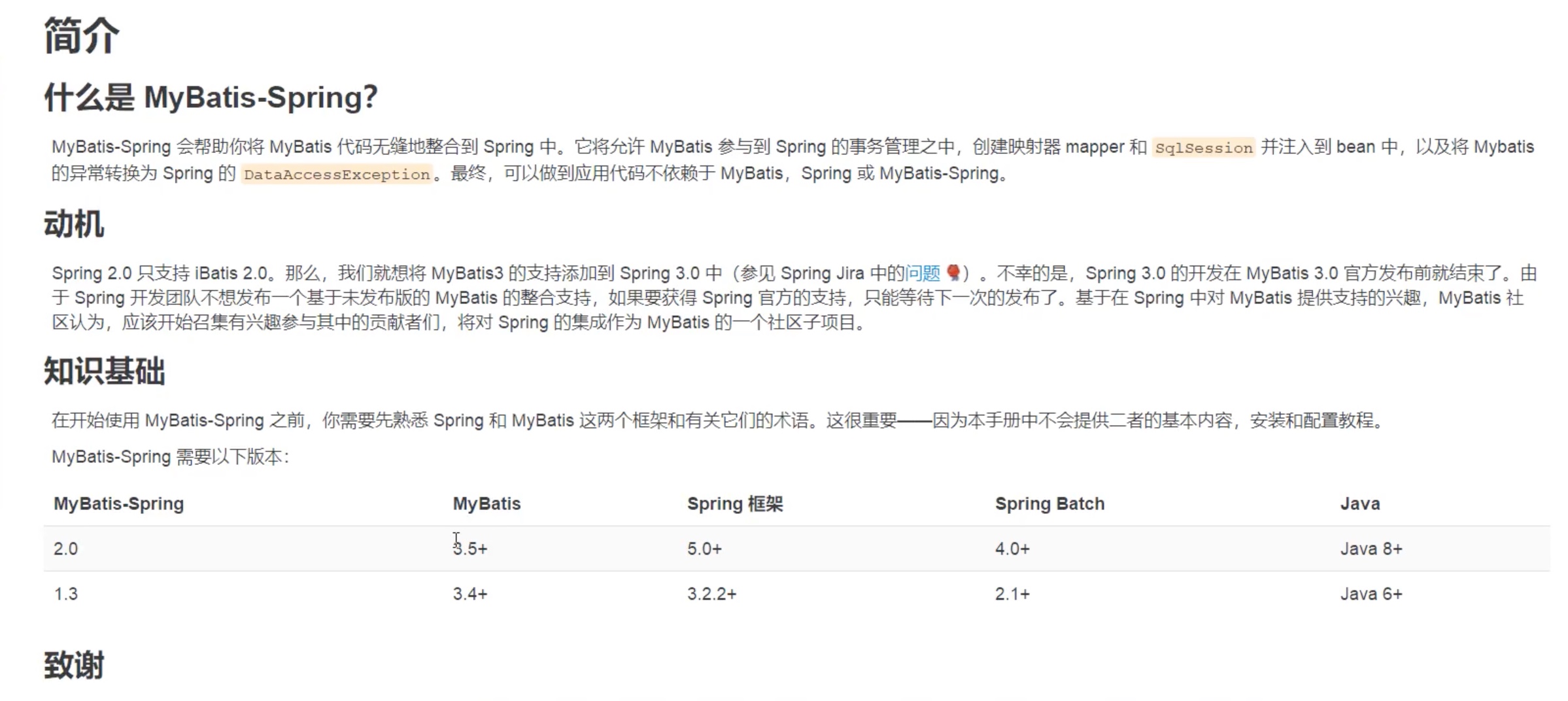
什么是Mybatis-spring
spring-dao.xml
<?xml version="1.0" encoding="UTF-8"?>
<beans xmlns="http://www.springframework.org/schema/beans"
xmlns:xsi="http://www.w3.org/2001/XMLSchema-instance"
xmlns:context="http://www.springframework.org/schema/context"
xmlns:aop="http://www.springframework.org/schema/aop"
xsi:schemaLocation="http://www.springframework.org/schema/beans
http://www.springframework.org/schema/beans/spring-beans.xsd
http://www.springframework.org/schema/context
https://www.springframework.org/schema/context/spring-context.xsd
http://www.springframework.org/schema/aop
https://www.springframework.org/schema/aop/spring-aop.xsd">
<!--开启注解支持-->
<context:annotation-config/>
<!--1DataSource,使用spring的数据源替换掉mybatis的配置-->
<!--固定,spring来接管mybatis以前做的事情-->
<bean id="dataSource" class="org.springframework.jdbc.datasource.DriverManagerDataSource">
<property name="driverClassName" value="com.mysql.jdbc.Driver"/>
<property name="url" value="jdbc:mysql://rm-uf6t9m0yx22dxrya5no.mysql.rds.aliyuncs.com:3306/koa2weibo?serverTimezone=Asia/Shanghai&useSSL=true&useUnicode=true&characterEncoding=UTF8&"/>
<property name="username" value="koa2weibo"/>
<property name="password" value="passMYblog123"/>
</bean>
<!--2SqlSession对象,固定写法-->
<!--固定,spring来接管sqlSession创建读取的问题-->
<bean id="sqlSessionFactory" class="org.mybatis.spring.SqlSessionFactoryBean">
<property name="dataSource" ref="dataSource"/>
<!--绑定Mybatis配置文件,固定写法-->
<property name="configLocation" value="classpath:mybatis-config.xml"/>
<property name="mapperLocations" value="classpath:com/xuwen/mapper/*.xml"/>
</bean>
<!--3,SqlSessionTemplate就是我们使用的sqlSession,固定写法-->
<bean id="sqlSession" class="org.mybatis.spring.SqlSessionTemplate" >
<!--只能使用构造器注入,固定写法-->
<constructor-arg index="0" ref="sqlSessionFactory"/>
</bean>
<!---->
<bean id="userMapper" class="com.xuwen.mapper.UserMapperImpl">
<property name="sqlSession" ref="sqlSession"/>
</bean>
</beans>
简化版,SqlSessionDaoSupport
新写的实现类
public class UserMapperImpl2 extends SqlSessionDaoSupport implements UserMapper {
    public List<User> selectUser() {
       SqlSession sqlSession = getSqlSession();
        UserMapper mapper = sqlSession.getMapper(UserMapper.class);
        return mapper.selectUser();
    }
}
public class UserMapperImpl2 extends SqlSessionDaoSupport implements UserMapper {
    public List<User> selectUser() {
        return getSqlSession().getMapper(UserMapper.class).selectUser();
    }
}