查看官方文档:
link->https://www.elastic.co/guide/en/elasticsearch/client/index.html
https://blog.csdn.net/forezp/article/details/106839262
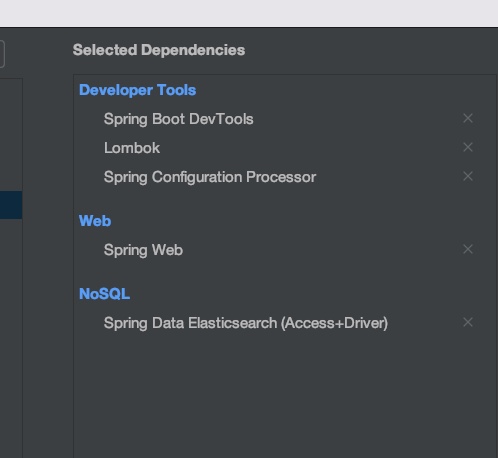
导入依赖
<dependency>
            <groupId>org.springframework.boot</groupId>
            <artifactId>spring-boot-starter-data-elasticsearch</artifactId>
        </dependency>
        <dependency>
            <groupId>org.springframework.boot</groupId>
            <artifactId>spring-boot-starter-web</artifactId>
        </dependency>

        <dependency>
            <groupId>org.springframework.boot</groupId>
            <artifactId>spring-boot-devtools</artifactId>
            <scope>runtime</scope>
            <optional>true</optional>
        </dependency>
        <dependency>
            <groupId>org.springframework.boot</groupId>
            <artifactId>spring-boot-configuration-processor</artifactId>
            <optional>true</optional>
        </dependency>
        <dependency>
            <groupId>org.projectlombok</groupId>
            <artifactId>lombok</artifactId>
            <optional>true</optional>
        </dependency>
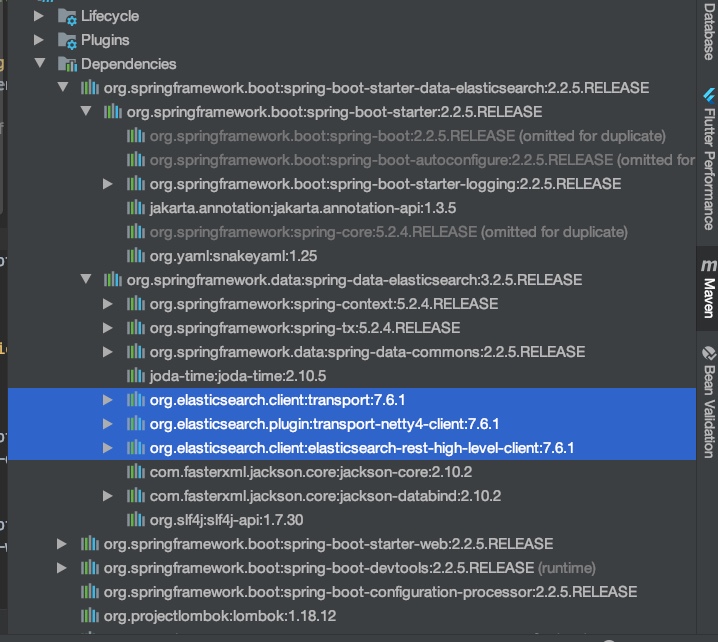
版本一致的问题,一定要保证我们mac中安装的es版本,kibana版本,和springboot中版本一致。
我本机安装7.6.1,所以需要修改springboot中的es版本
    <properties>
        <java.version>1.8</java.version>
        <!-- 自己定义的es版本,必需和本地保持一致 -->
        <elasticsearch.version>7.6.1</elasticsearch.version>
    </properties>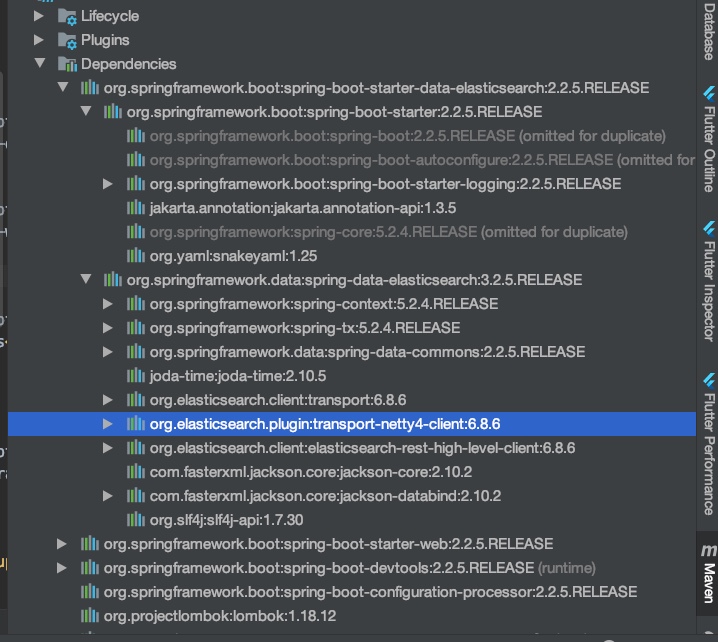
修改版本后,不修改就报错
编写配置config
新建一个config文件夹,创建一个ElasticSearchClientConfig类
package com.xuwen.config;

import org.apache.http.HttpHost;
import org.elasticsearch.client.RestClient;
import org.elasticsearch.client.RestHighLevelClient;
import org.springframework.context.annotation.Bean;
import org.springframework.context.annotation.Configuration;

/**
 * author:xuwen
 * Created on 2021/10/31
 */
//狂神的spring两个步骤,1找对象2,放入spring中待用
@Configuration //=xml,bean配置
public class ElasticSearchClientConfig {

    @Bean
    public RestHighLevelClient restHighLevelClient(){
        RestHighLevelClient client = new RestHighLevelClient(
                RestClient.builder(
                        new HttpHost("127.0.0.1",9200,"http")
                        //集群,可以new多个,否则就一个
                        //new HttpHost("localhost",9201,"http");
                ));

        return client;
    }

}
创建索引
判断索引是否存在
删除索引
创建文档
CRUD文档
package com.xuwen;

import org.elasticsearch.action.admin.indices.delete.DeleteIndexRequest;
import org.elasticsearch.action.support.master.AcknowledgedResponse;
import org.elasticsearch.client.RequestOptions;
import org.elasticsearch.client.RestHighLevelClient;
import org.elasticsearch.client.indices.CreateIndexRequest;
import org.elasticsearch.client.indices.CreateIndexResponse;
import org.elasticsearch.client.indices.GetIndexRequest;
import org.junit.jupiter.api.Test;
import org.springframework.beans.factory.annotation.Autowired;
import org.springframework.beans.factory.annotation.Qualifier;
import org.springframework.boot.test.context.SpringBootTest;

import java.io.IOException;

@SpringBootTest
class EsApiApplicationTests {

    @Autowired//按照类型注入,名字要一摸一样,+@Qualifier
    @Qualifier("restHighLevelClient")
    private RestHighLevelClient client;


    //创建索引
    @Test
    void testCrateIndex() throws IOException {
        //创建索引
        //=PUT "kuang_index"
        CreateIndexRequest request = new CreateIndexRequest("kuang_index");
        //客户端执行,请求后拿到响应
        CreateIndexResponse createIndexResponse = client.indices().create(request, RequestOptions.DEFAULT);
        System.out.println(createIndexResponse);

    }

    //获取索引


    //判断索引是否存在
    void testExistIndex() throws IOException {
        GetIndexRequest request = new GetIndexRequest("kuang_index");
        boolean exists = client.indices().exists(request, RequestOptions.DEFAULT);
        System.out.println(exists);
    }


    //测试删除索引
    void testDeleteIndex() throws IOException {
        DeleteIndexRequest request = new DeleteIndexRequest("kuang_index");
        AcknowledgedResponse delete = client.indices().delete(request, RequestOptions.DEFAULT);
        System.out.println(delete);
    }

}
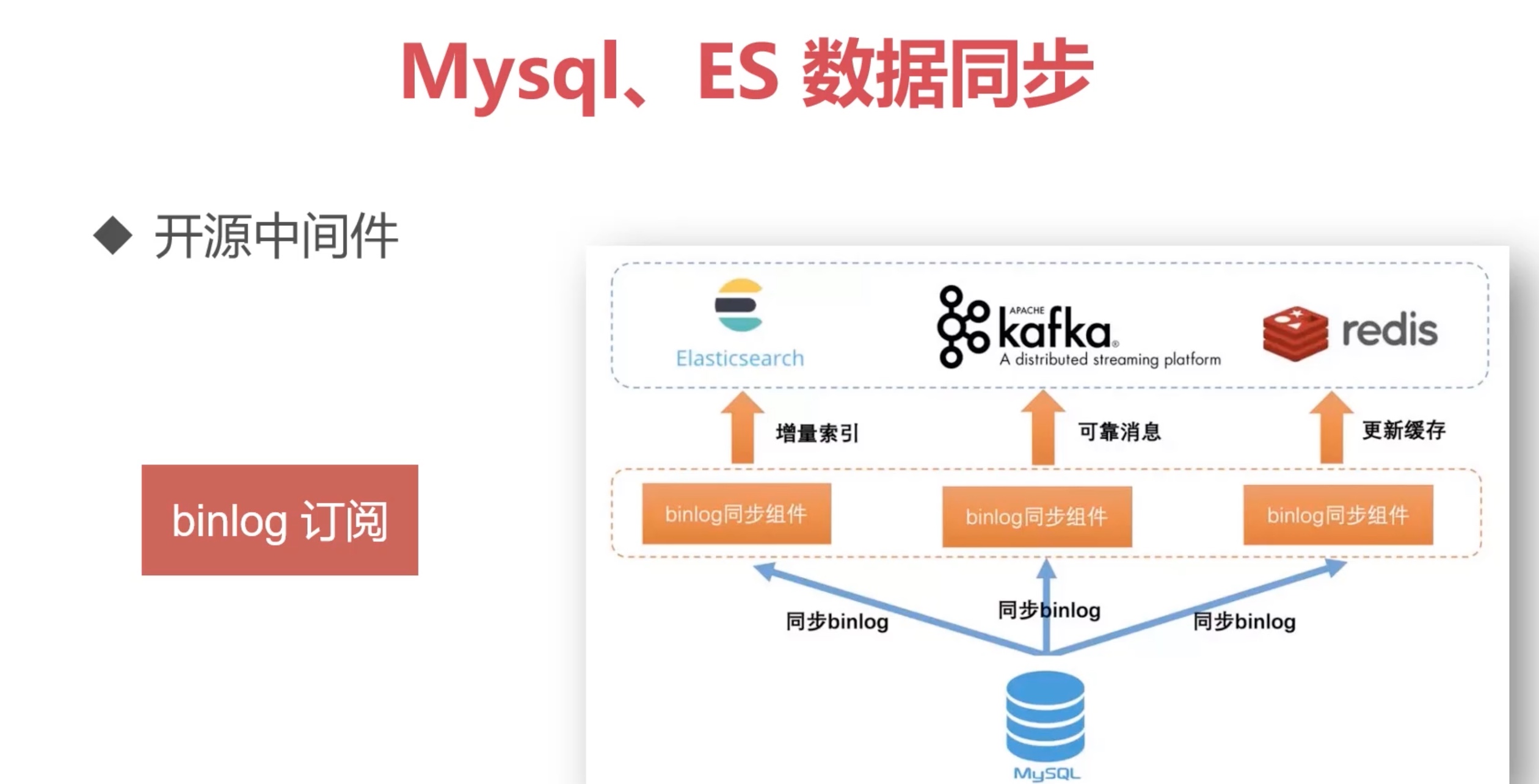
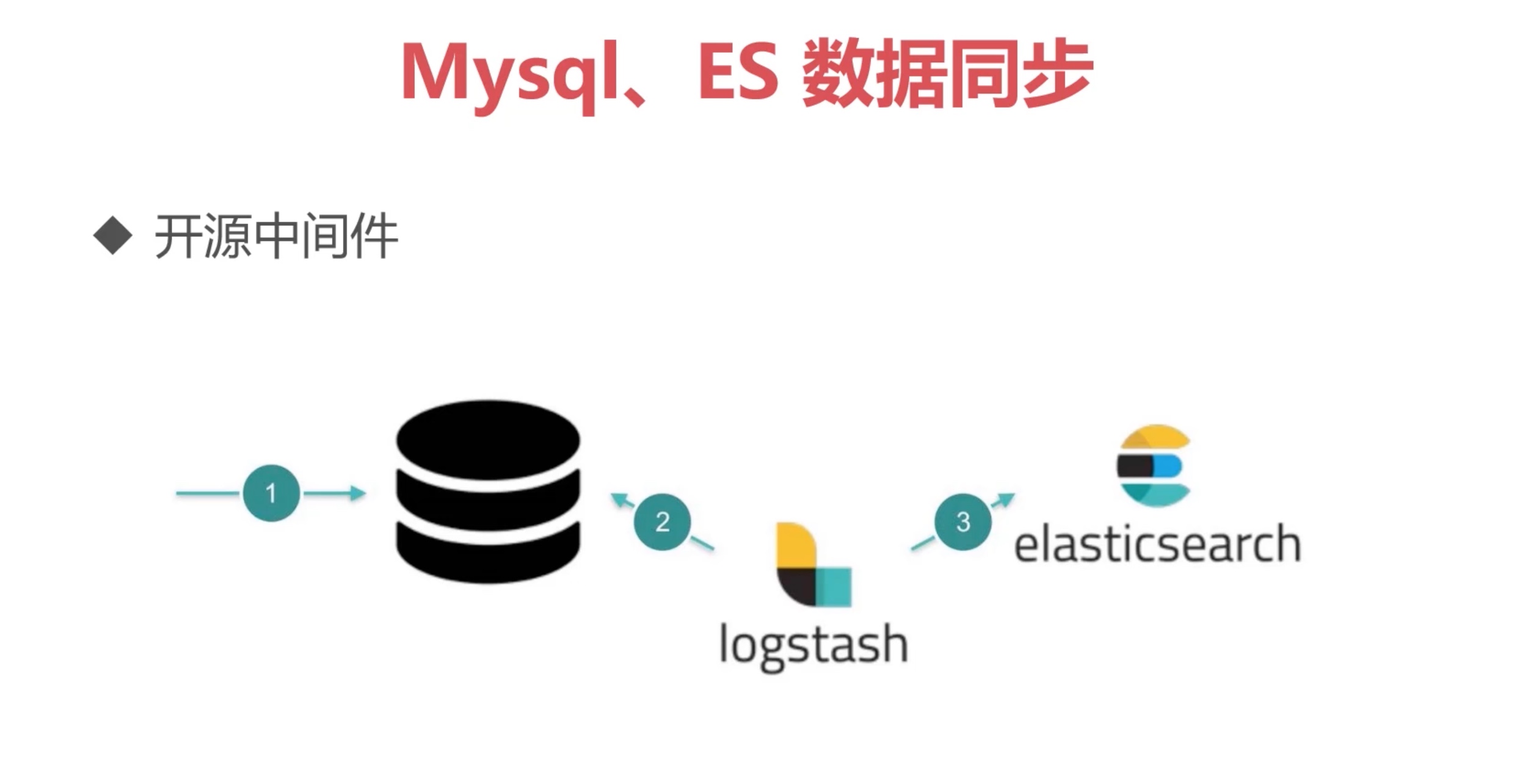
同步Mysql,到ES的中间健